Looking for a ClickUp alternative? You've come to the right place.
ClickUp packs a lot into one project management tool, and that works well for some teams. For others, it becomes hard to keep up with. Things feel slower than they should. Setup takes longer than expected. Small changes turn into configuration work.
Most people who look for ClickUp alternatives want fewer moving parts. Some want a simpler interface. Some want better performance. Others just want software that stays out of the way.
In this article, we're going to be exploring some of the best alternatives to ClickUp. We'll be taking a look at a variety of different tools, comparing features, pricing, and user experience, to help you find the perfect tool for your team. Whether you're looking for an app like ClickUp but a bit more robust and feature-rich, or a more streamlined and user-friendly option, we've got you covered.
Why you may want to replace ClickUp
No project management tool is without shortcomings, and ClickUp is no exception. There are many reasons why you may be looking for a ClickUp alternative, for example:
- Some customers complain that the ClickUp support team tends to take a long time to respond to queries (source)
- ClickUp adds new features every week, and new bugs are frequently introduced along with them (source)
- The interface of ClickUp is densely packed with many features, adding clutter and making it difficult to navigate effectively (source)
- ClickUp is a fairly complex piece of software and comes with a steep learning curve for new users (source)
- ClickUp can be quite slow (source)
Does that sound familiar? Then it might be time to switch to a more reliable and user-friendly option — fortunately, there are many great ClickUp alternatives to choose from.
Ho we evaluated alternatives to ClickUp
We built this list using a mix of hands-on testing and product research.
For some tools, we set up real workspaces, moved content into them, and used them long enough to see where friction shows up. For others, we relied on detailed product docs, changelogs, public roadmaps, pricing history, and user feedback from places like forums, Reddit, and review sites.
We focused on concrete things: how long setup takes, how easy it feels to stay organized, how fast the interface responds, and how much work it takes to keep a workspace clean over time.
We update this list regularly to reflect major product changes, pricing updates, and shifts in direction.
12 Best ClickUp alternatives
Project management is a critical aspect of any business, and choosing the right tool for your team's workflow is essential. While ClickUp is a popular and capable tool, it may not necessarily align with every organization's needs and preferences. That's why it's essential to explore other options and find the alternative that best suits your team.
To make your decision easier, we've evaluated dozens of options and put together a shortlist of the best alternatives to ClickUp:
- Nuclino
- Confluence + Jira
- Basecamp
- Google Workspace
- Asana
- nTask
- Airtable
- Trello
- The Meister Bundle
- Monday
- Zoho One
- Wrike
It's important to note that there is no objective "best" ClickUp alternative, as every team's workflow and needs are unique. Each one of these tools has its strengths and weaknesses, and depending on the reason you are unhappy with ClickUp, a different alternative may be a better fit for your needs.
Let's examine the features and pricing of the top ClickUp competitors to find the best alternative that caters to your team's unique workflow.
1. Nuclino
- Pricing: Free, advanced features starting from $6/user/month
- Rating on Capterra: 4.7/5
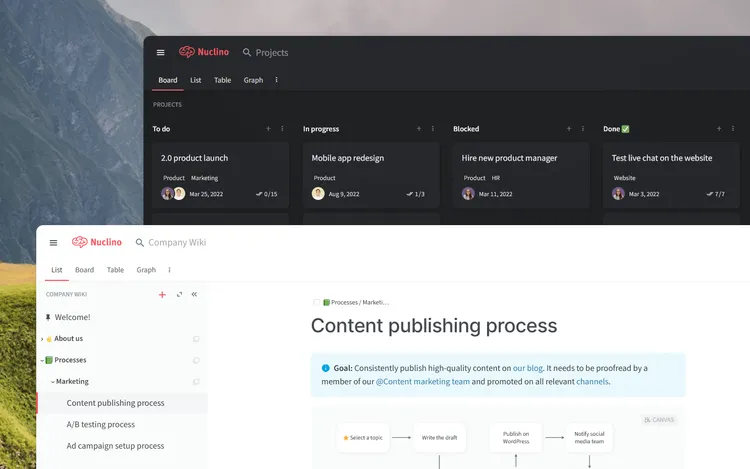
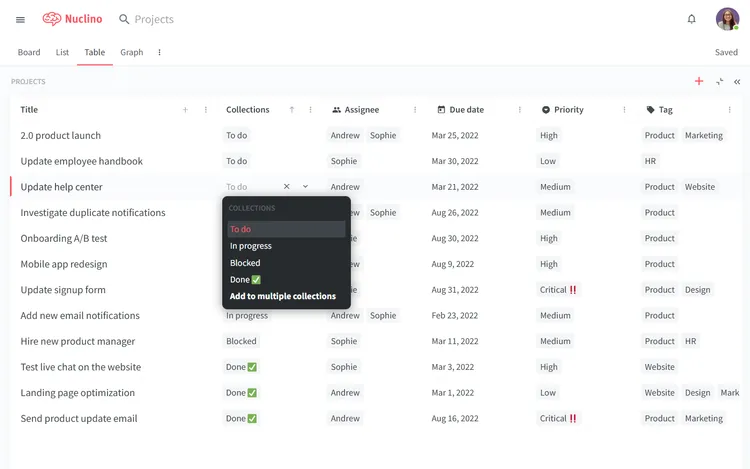
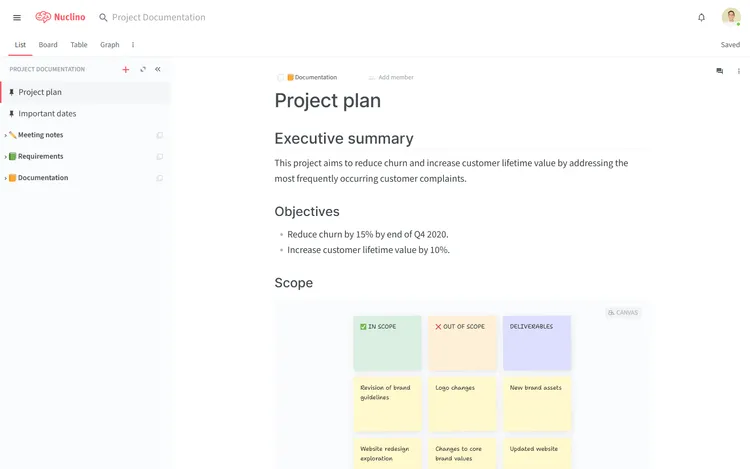
Nuclino is a lightweight, user-friendly alternative to ClickUp. If you find ClickUp to be too complex, cluttered, and unintuitive, then Nuclino may be a great substitute for you.
Nuclino is a unified team workspace that offers much of the same core functionality as ClickUp — you can use it to build your internal knowledge base, collaborate on documents in real time, manage your tasks and projects, and more. But all of that comes in a much simpler and faster package.
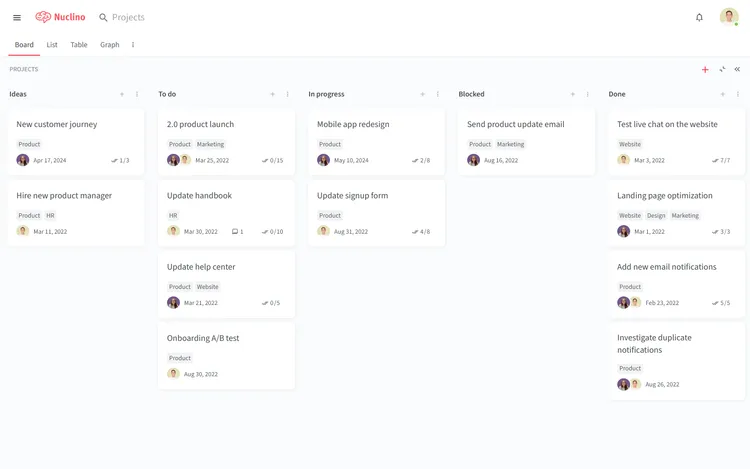
Minimalist by design, Nuclino has none of the clunky menus or complex configuration options of ClickUp. Its interface is clean and distraction-free, and the learning curve for new users is minimal.
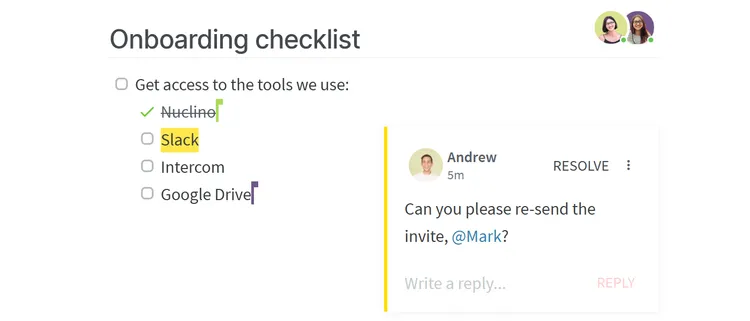
Another notable strength of Nuclino is its speed. Searching, editing, collaborating — every interaction is optimized to feel instantaneous. All content can be collaborated on in real time, Markdown commands and hotkeys allow you to quickly format text without taking your hands off the keyboard, and every update is instantly synced across all devices.
If you're a fan of ClickUp AI, you will also appreciate Sidekick, the AI-powered assistant built into Nuclino. Sidekick can help you find information, brainstorm ideas, create first drafts, generate images, summarize long documents, and more.
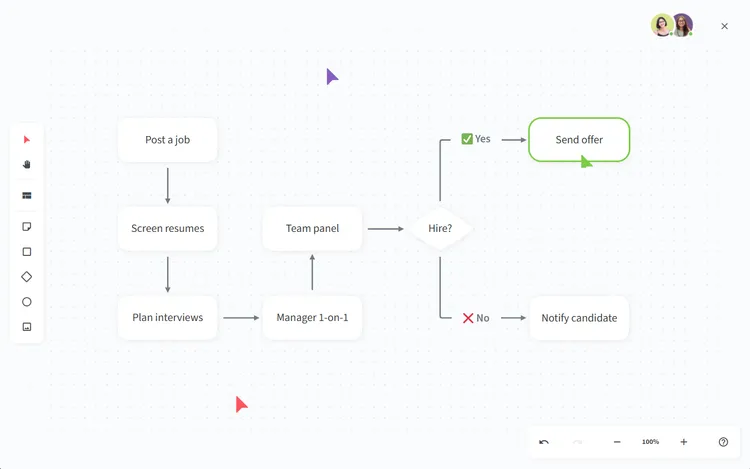
Nuclino also offers built-in visual collaboration and allows you to add an infinite collaborative canvas to any document. You can use it to create diagrams and flowcharts, organize ideas using sticky notes, and much more.
What users say about Nuclino:
"Nuclino, first and foremost, is EXTREMELY easy to use. The GUI is self-explanatory, with a clean and modern front end. A positive experience from top to bottom."
2. Confluence + Jira
- Pricing: Free, advanced features starting from $5 + $7.50/user/month
- Rating on Capterra: 4.5/5
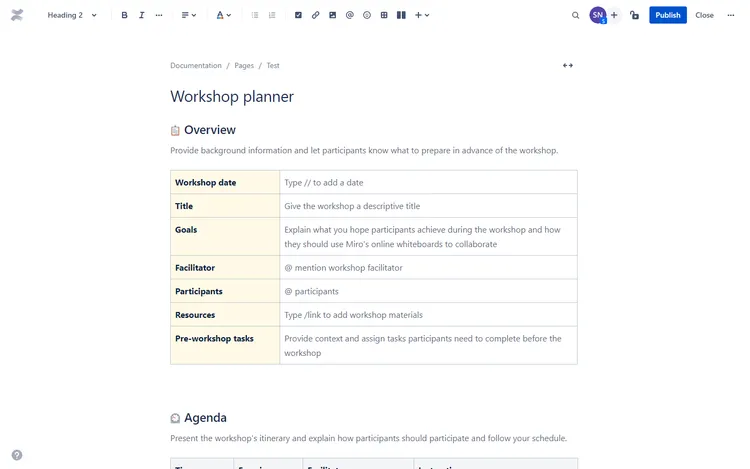
While Confluence and Jira are two separate tools, both belong to the Atlassian product suite and are integrated with each other. Together, they largely cover the functionality of ClickUp.
While ClickUp is a newcomer in the field of collaboration tools, Confluence and Jira are both very mature solutions. They are also some of the most feature-packed tools you could find. They come with an inevitable learning curve, but if you managed to get the hang of ClickUp, learning how to use Jira and Confluence shouldn't be much of a challenge.
Learn more about how Confluence and Jira compare to ClickUp:
Looking for more tools similar to Jira and Confluence? Check out this list of Jira alternatives and Confluence alternatives.
What users say about Jira:
"Jira's got the structure build out for Scrum Style Agile Development. The backlog, epics, tasks, issues, releases are essential pieces that will help you to nicely manage your scrum style project without having to create or configure anything. The UI is really clean which I really like about Jira compared to Clickup."
What users say about Confluence:
"If your development teams are already using Jira, Confluence is a no-brainer. Confluence has really helped us to streamline processes and write things down in a place where everyone has access all the time."
3. Basecamp
- Pricing: $15/user/month or $299/month for unlimited users
- Rating on Capterra: 4.3/5
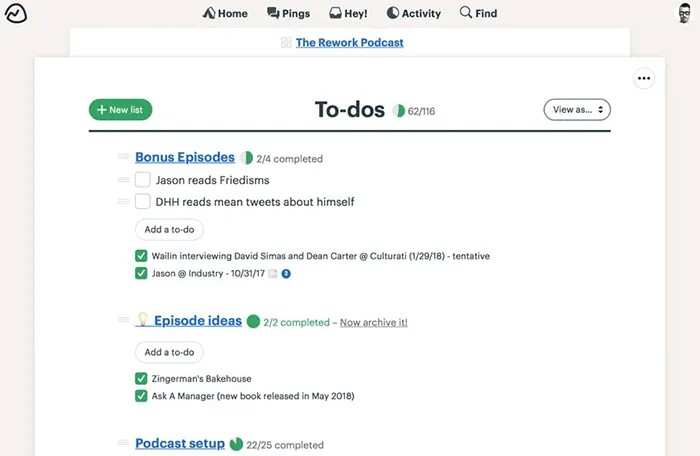
Basecamp is another example of an all-in-one team collaboration tool. It brings together to-do lists, calendars, instant messaging, document and file management, and more, allowing any team to collaborate and manage their work in one place.
The feature set of Basecamp is far from being as extensive as that of ClickUp. However, it is much easier to set up and requires minimal configuration. The interface is also less clunky, making it easier for new users to get started. Whether that's the right trade-off for you depends on your requirements and preferences.
Learn more about how Basecamp compares to ClickUp: ClickUp vs Basecamp.
Looking for more tools similar to Basecamp? Check out this list of Basecamp alternatives.
What users say about Basecamp:
"I like Basecamp's ease of use. You can spend 5 minutes navigating the platform and by the end of it, you'll know most of what it can do and how you can do it. Everything is "in your face simple" and clear to understand, which is how most software products should be."
4. Google Workspace
- Pricing: Free, advanced features starting from $6/user/month
- Rating on Capterra: 4.7/5
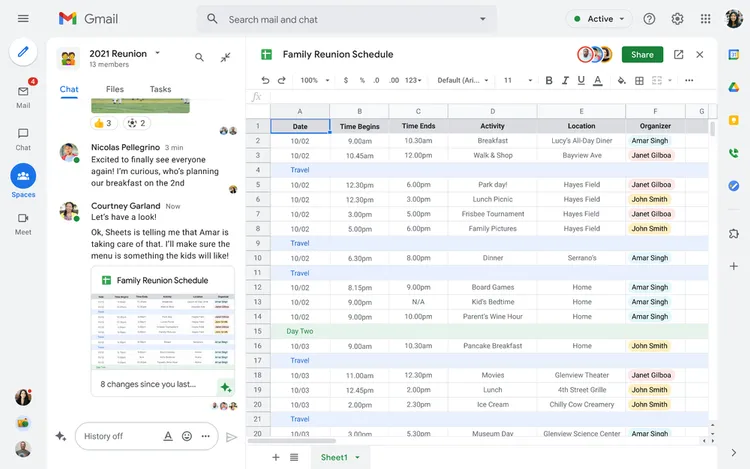
In terms of pure feature count, Google Workspace (previously G Suite) very closely matches ClickUp. It's an incredibly extensive suite of applications and services that includes anything from docs, spreadsheets, and slides, to chat, email, and calendars.
Given the widespread popularity of apps like Gmail and Google Docs, your team may appreciate the familiar feel of Google Workspace and get the hang of it fairly easily.
What users say about Google Workspace:
"Using Google Workspace at work, I can link all the platforms I need. From email, calendar schedule, Google Meet, and Google Drive. It is easy to access and link the tasks to all the platforms we are using at work. By using just one email account, I already have an account on other platforms. It is very convenient for syncing from one platform to another."
5. Asana
- Pricing: Free, advanced features starting from $10.99/user/month
- Rating on Capterra: 4.5/5
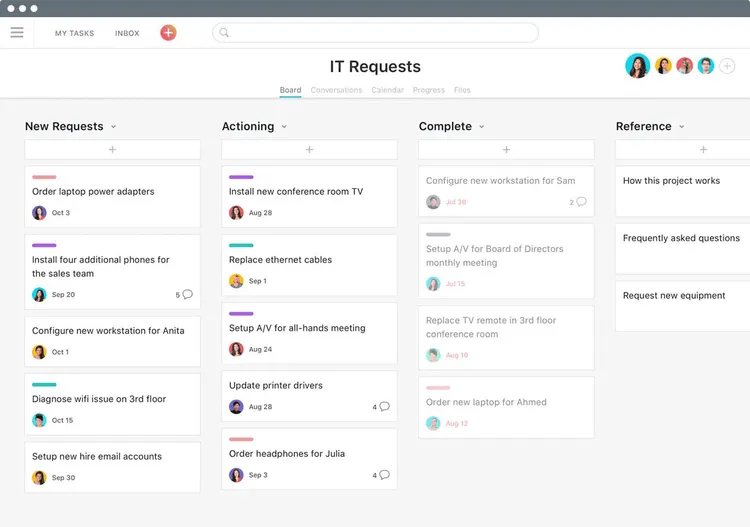
Asana is a widely used productivity tool that offers a range of features for managing tasks and projects. If you're primarily using ClickUp to manage your tasks and projects, then Asana may be a great alternative to consider.
Compared to ClickUp, Asana is a more traditional productivity tool, it's designed specifically to help your team manage projects and tasks and does not include additional features, such as docs, diagrams, whiteboards, and so on. It makes up for it by offering a more intuitive interface that makes it easy for teams to adopt the tool and quickly become proficient in using it.
Overall, Asana is a solid alternative to ClickUp that has a similar range of features for managing tasks and projects, but with a more focused and streamlined interface. Asana also offers a very generous free plan, so if you're looking for a free ClickUp alternative, it may be a great fit for your needs.
Learn more about how Asana compares to ClickUp: ClickUp vs Asana.
Looking for more tools similar to Asana? Check out this list of Asana alternatives.
What users say about Asana:
"ClickUp was not great back in the day. Appreciate they've come a long way, but, in my experience, it does not beat the clean, easy-to-follow, and user-friendliness of Asana."
6. nTask
- Pricing: Free, advanced features starting from $4/user/month
- Rating on Capterra: 4.2/5
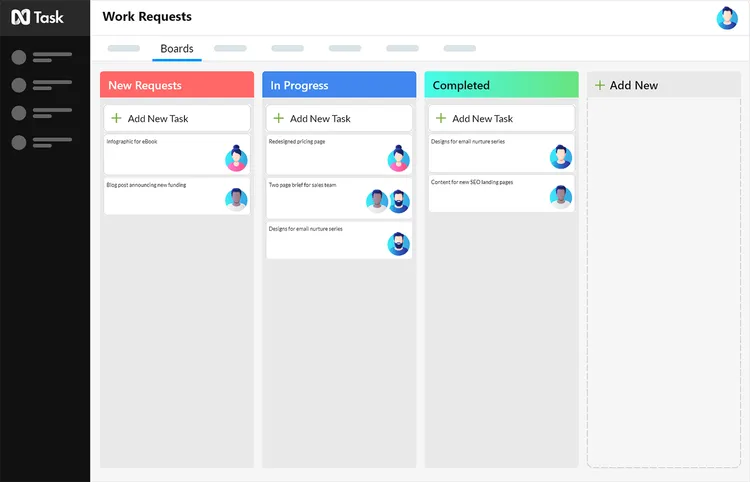
nTask proves to be a competitive choice when searching for an alternative to ClickUp. It's a robust task and project management application that offers a wide range of features to assist teams and individuals in organizing and managing their workflow.
The application enables users to create tasks, assign them to team members, track progress, collaborate in real time and ensure that all work is free of issues and bugs.
In addition, it is equipped with Gantt chart and Kanban board features that provide different perspectives on tasks and processes, allowing for greater efficiency and organization within the application's interface.
What users say about nTask:
"It's really a hidden jewel because you can take advantage of most of the features for free, and it offers many of the same functions as larger and much more expensive project management tools."
7. Airtable
- Pricing: Free, advanced features starting from $20/user/month
- Rating on Capterra: 4.7/5
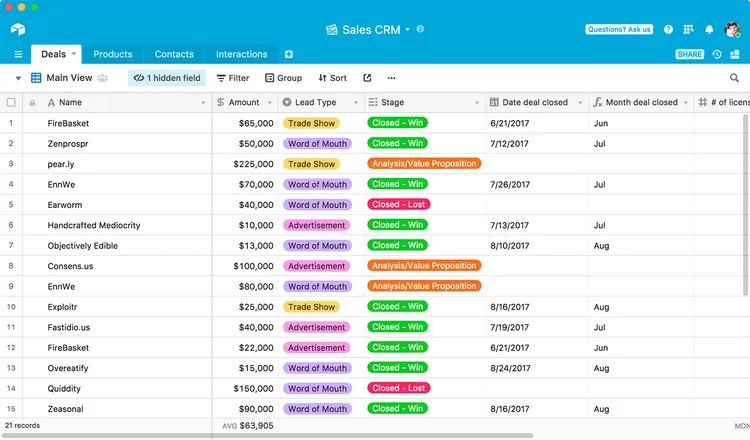
Airtable is a good alternative to ClickUp for those who are looking for a more flexible and customizable tool for organizing and managing data. It can be used for a variety of tasks, such as project management, inventory tracking, and content creation. It is often described as a "spreadsheet on steroids," as it allows users to create custom databases and organize their data in a way that makes sense for their specific use case. Airtable offers a range of views for organizing data, including spreadsheet-style tables, calendars, Kanban boards, galleries, and timelines.
Airtable is particularly well-suited for building relational databases and is more powerful and flexible than ClickUp in this regard. It allows you to link data across different tables, enabling users to create more complex relationships and structure their data in more intuitive ways.
At the same time, many users find Airtable to be less bloated and easier to get started with than ClickUp.
Looking for more tools similar to Airtable? Check out this list of Airtable alternatives.
What users say about Airtable:
"I took a look at ClickUp and it just seemed too bloated for what I needed. Monday also. Airtable is just a lot easier to use in a simple manner or a more complex manner when you are ready for it."
8. Trello
- Pricing: Free, advanced features starting from $5/user/month
- Rating on Capterra: 4.5/5
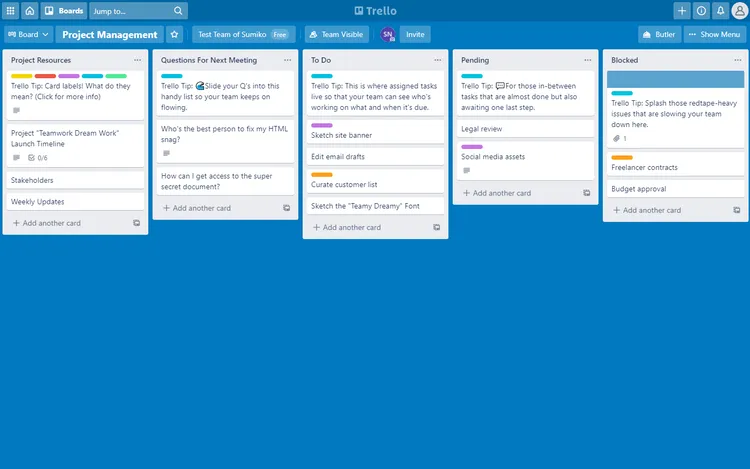
Trello is a great alternative to ClickUp for project management, particularly for those looking for a tool that is tailored to Kanban-style project planning. Unlike ClickUp, which has a broader feature set, Trello is fully optimized for this specific methodology, making it a favorite among teams who prefer this approach. This emphasis on Kanban boards has helped make Trello one of the most popular project management tools in its category.
One of the main benefits of Trello is its user-friendly interface which is easy to navigate, even for those without technical skills. The tool is built around cards, which can be moved between different stages of a project on a Kanban board. You can also assign labels and color-codes, attach files, and invite team members to collaborate with you on a project.
Learn more about how Trello compares to ClickUp: ClickUp vs Trello.
Looking for more tools similar to Trello? Check out this list of Trello alternatives.
What users say about Trello:
"I've used Trello for years. Many of my clients use different solutions like Asana and I even moved my own company over to ClickUp for a year. We came back to Trello and every team member breathed a sigh of relief. Trello is so much easier to break down individual boards and appeals to those of us who need to see visuals."
9. The Meister Bundle
- Pricing: Free, advanced features starting from $16.45/user/month
- Rating on Capterra: 4.6/5
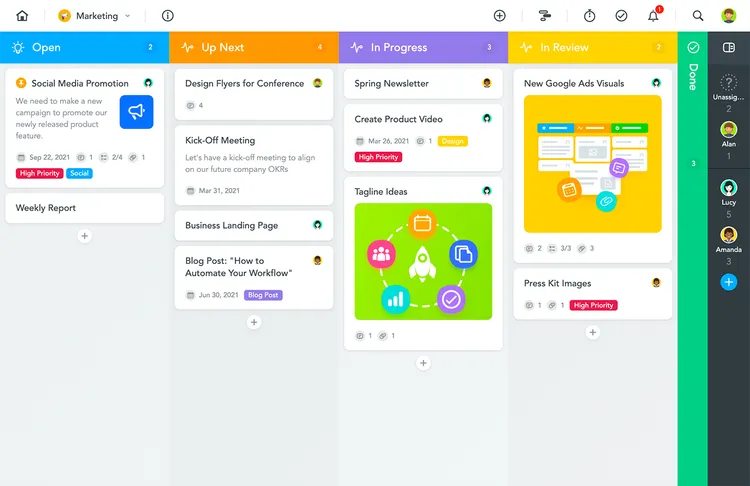
The Meister Bundle, which includes MindMeister and MeisterTask, is a comprehensive productivity solution that combines mind mapping and task management capabilities.
Compared to ClickUp, the Meister Bundle takes a more streamlined approach. It offers specific tools for mind mapping, task management, and note-taking, while ClickUp is a broader platform with a wider range of features including goal tracking, time tracking, and integrations with various apps. The Meister Bundle might be a suitable choice if you're looking for separate, dedicated tools for each aspect of your work rather than an all-in-one solution like ClickUp.
What users say about the Meister Bundle:
"I have many projects that need to be visualized in order to keep track of them, and brainstorming really helps unload my ideas so I don't have to hang onto them in mind all the time. MindMeister makes it easy, quick, and colorful to handle. I like how easy and colorful it is, intuitive to type in ideas, connect them, move them around, and easy to create tasks out of them, and link them into MeisterTask."
10. Monday
- Pricing: Starting from $8/user/month
- Rating on Capterra: 4.6/5
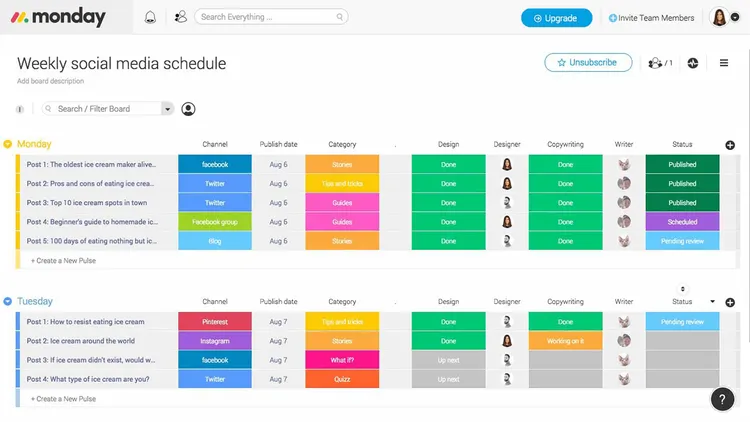
Monday (also known as Monday.com, formerly Dapulse) is a ClickUp alternative that is well-suited for teams that need a visual way to organize and track tasks. Its colorful interface, various visualization options, and task automation features have earned it the trust of over 100,000 teams and individuals. The color-coded status columns make it easy to see how things are going at a glance.
Monday is a powerful tool that not only excels in project management but also provides a wide range of features to support various additional use cases. Similar to ClickUp, it also allows users to manage files, collaborate on documents, set up forms, and more.
Learn more about how Monday compares to ClickUp: ClickUp vs Monday.
Looking for more tools similar to Monday? Check out this list of Monday alternatives.
What users say about Monday:
"I liked the setup of Monday.com far better than that of ClickUp. Its automations were more advanced and the interface appeared cleaner. Overall, the experience has been so great. Once the initial bump of implementation is over, it truly is smooth sailing."
11. Zoho One
- Pricing: Starting from $37/user/month
- Rating on Capterra: 4.3/5
ClickUp describes itself as "one app to replace them all" and it can indeed replace a wide range of different productivity tools. But what if you need an even more powerful and multi-functional solution?
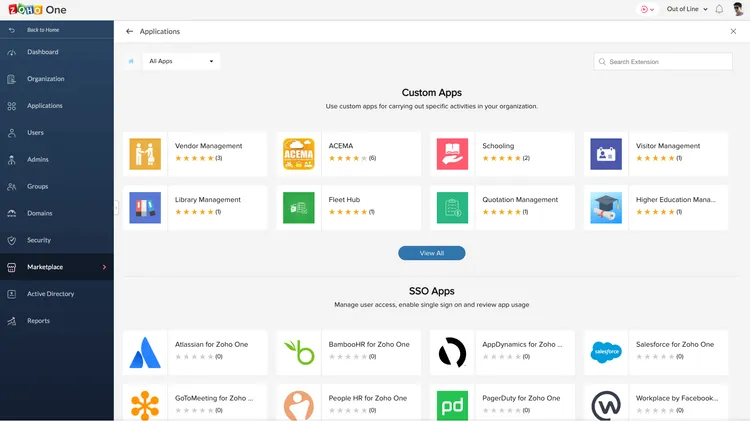
If that sounds like you, then Zoho One may be the ClickUp alternative you're looking for. Zoho One is a suite of over 40 integrated business and productivity apps, including tools for project management, CRM, HR, and more. It allows businesses to streamline their workflow and increase efficiency by centralizing all their tools into one platform.
Note that all this extra functionality comes with a price tag. Zoho One subscriptions start from $37 per user per month, compared to only $5 per user per month for ClickUp.
What users say about Zoho One:
"ClickUp was predominantly for project management. I wanted something more robust. Zoho One had a lot of features that essentially solve every possible need an organization can have. From human resource management to product management to time management to knowledge management and client management. Zoho One has it all in one package. It's a Swiss Army knife."
12. Wrike
- Pricing: Free, advanced features starting from $10/user/month
- Rating on Capterra: 4.4/5
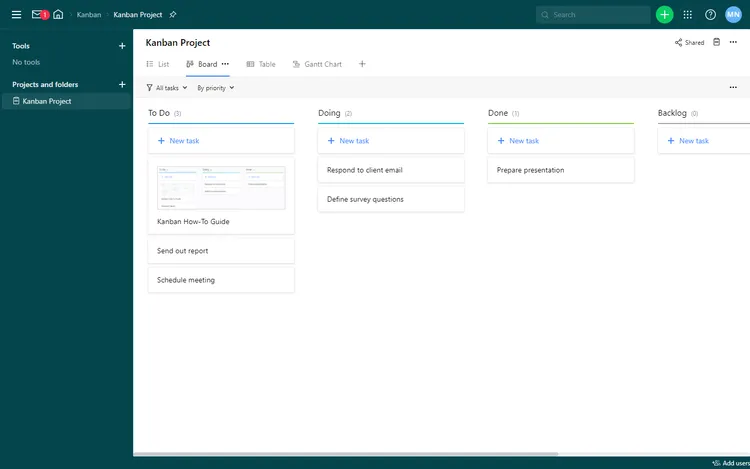
Like ClickUp, Wrike allows you to create tasks, set due dates, assign responsibilities, and track progress. You can organize tasks into folders, projects, and subtasks, helping to maintain a clear hierarchy. It can be a good alternative for those who mainly use ClickUp as a project management tool, and don't need many of its additional features, such as document management or collaborative whiteboards.
Wrike stands out thanks to its advanced Gantt chart capabilities, that enable you to visualize project timelines, dependencies, and resource allocation. This can be particularly useful for teams working on projects with complex schedules. The platform also provides helpful workload management features, which help balance tasks among team members and prevent overloading.
The interface of Wrike may not look as modern or playful as that of ClickUp, but if you are looking for a more mature solution, this may be the right trade-off for you.
Learn more about how Wrike compares to ClickUp: ClickUp vs Wrike.
Looking for more tools similar to Wrike? Check out this list of Wrike alternatives.
What users say about Wrike:
"Wrike is a feature-rich project management application that strikes a balance between complexity and ease of use. Wrike's reporting and dashboard features are more advanced than many alternatives, making it easier to stay on top of project status. Its broad feature set also provides greater flexibility and customization options. "
Other ClickUp alternatives
If you're still exploring and want a closer look at how ClickUp stacks up against other popular tools, here are a few deep dives you might find helpful as well:
Each guide walks through the key differences in features, pricing, and use cases, so you can decide which tool is the better fit for your team.
Find the best ClickUp alternative for you
So which one of these tools is the best alternative to ClickUp? The answer entirely depends on the reason you are looking for an alternative in the first place. ClickUp is a highly versatile tool that can be used in many different ways, so it's important to keep in mind that there is no single "best" ClickUp substitute that would work equally well for all types of teams and use cases.
Fortunately, there are plenty of ClickUp competitors so you have many great options to choose from. Whether you're looking for a simpler, faster, and more user-friendly tool or something more powerful and robust, there's something out there for everyone.
We hope this list made it easier for you to find the solution that best suits your needs.