If you're comparing Confluence alternatives, you're probably looking for a different way to manage company knowledge or documentation.
Confluence has been a popular choice for company wikis for years, particularly in companies that already use Jira. It has also grown into a much broader product, and not every company needs that level of complexity.
Below, we review and compare the best Confluence alternatives and competitors.
What is Confluence?
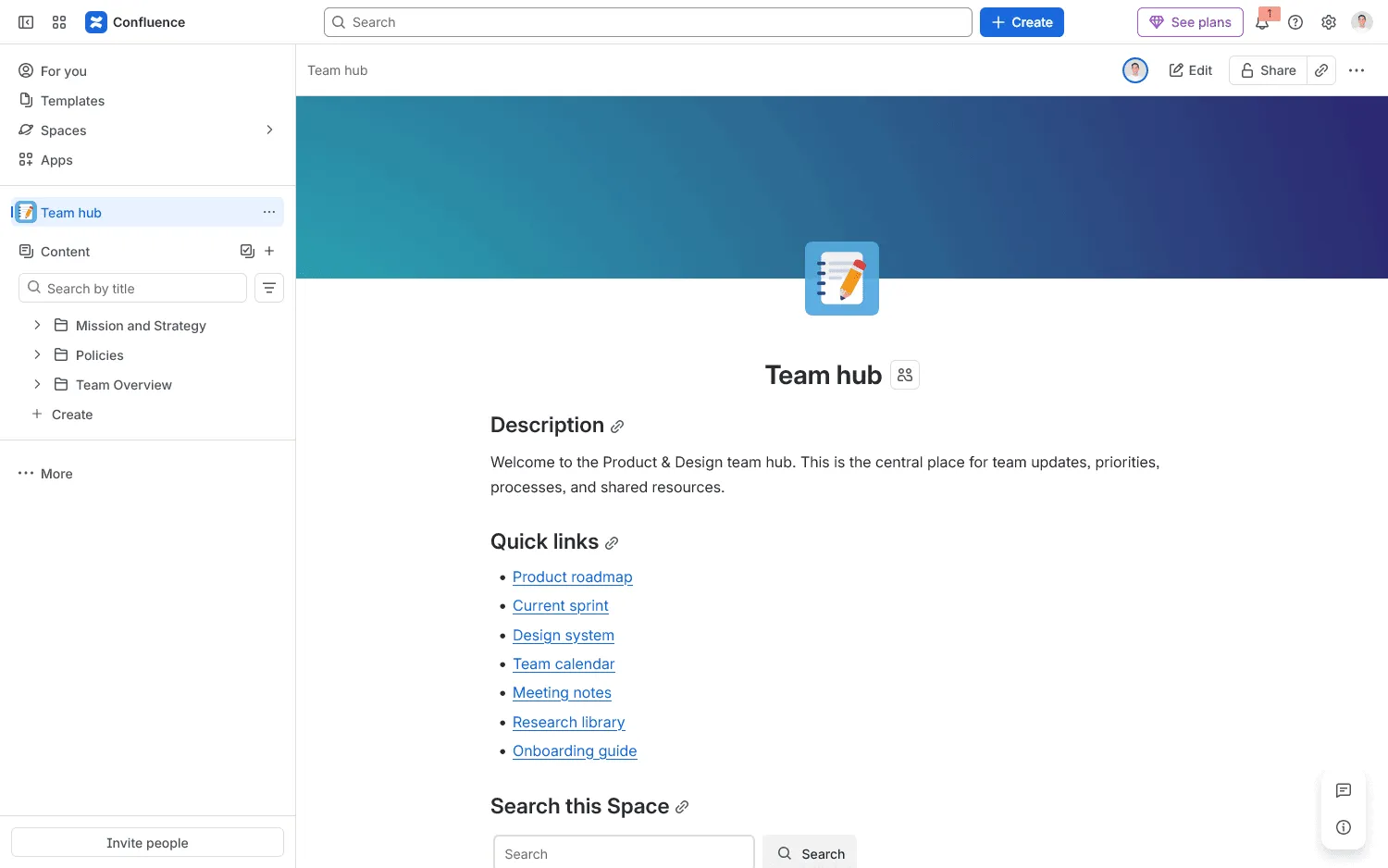
Atlassian Confluence is a team workspace and knowledge management platform. Teams organize content into spaces and pages, edit together in real time, leave comments, review page history, manage permissions, and search across company knowledge. Atlassian has also added whiteboards, databases, automation, and AI features around the core wiki.
Confluence works closely with Jira, which remains one of its main advantages for software and product teams already using Atlassian. A Jira issue can link to project documentation, requirements, meeting notes, or decisions stored in Confluence without introducing another platform.
Why look for a Confluence alternative?
Confluence still makes sense for companies that rely heavily on Jira and the wider Atlassian ecosystem. But cost, complexity, and changes to Atlassian's self-hosted products can all be reasons to consider other options.
- Rising Cloud costs: Confluence Cloud prices increased in October 2025, then increased again on October 13, 2026. For teams with up to 100 users, Standard rose from $6.70 to $7.15/user/month and Premium from $13.20 to $14.10.
- Harder-to-manage workspaces as content grows: Recent Confluence reviews on Capterra mention outdated pages appearing in search results, clutter in larger spaces, and navigation becoming harder as more content is added.
- The end of Confluence Data Center: Atlassian will end support for Confluence Data Center on March 28, 2029. Companies that need self-hosting now have a fixed deadline to find another option.
- More complexity than a straightforward wiki requires: Confluence now includes whiteboards, databases, automation, AI features, and lots of configuration options. Some teams prefer a product with less setup and administration.
The right replacement depends on what you want to change. Some alternatives simplify the internal wiki, while others focus on technical documentation, self-hosting, or tighter integration with another software ecosystem.
10 best Confluence alternatives
| Tool | Best for | Starting price | Main limitation |
|---|---|---|---|
| Nuclino | Lightweight internal wikis and team collaboration | Free; Paid plans from $6/user/month | Fewer advanced admin controls and apps than Confluence |
| GitBook | Product and developer documentation | Free; Paid plans from $65/site/month + $12/additional user | Less suited to broad company-wide collaboration outside documentation |
| Slite | Internal knowledge with content verification | $10/user/month | Less configurable and a smaller app ecosystem than Confluence |
| Tettra | Slack-based internal Q&A and knowledge | $8/user/month, 10-user minimum | Best suited to companies where Slack is already central |
| You Need A Wiki | Companies that keep their knowledge in Google Docs | Free for 1 user; Team plans from $19/month | Limited outside the Google Drive-based wiki model |
| SharePoint | Microsoft 365 intranets and document management | $5/user/month | More setup and administration than lighter wiki tools |
| Guru | Enterprise knowledge spread across many tools | Custom pricing | Less suited to building a traditional page-based wiki from scratch |
| Document360 | Product docs, help centers, and managed knowledge bases | Custom pricing | Sales-led pricing and less room for informal team collaboration |
| Superhuman Docs (formerly Coda) | Docs combined with data and workflows | Free; Paid plans from $12/member/month | Requires more decisions about how to structure workflows |
| Notion | Flexible wikis, docs, databases, and projects | Free; Paid plans from $10/member/month | Flexible workspaces need clear conventions as they grow |
1. Nuclino
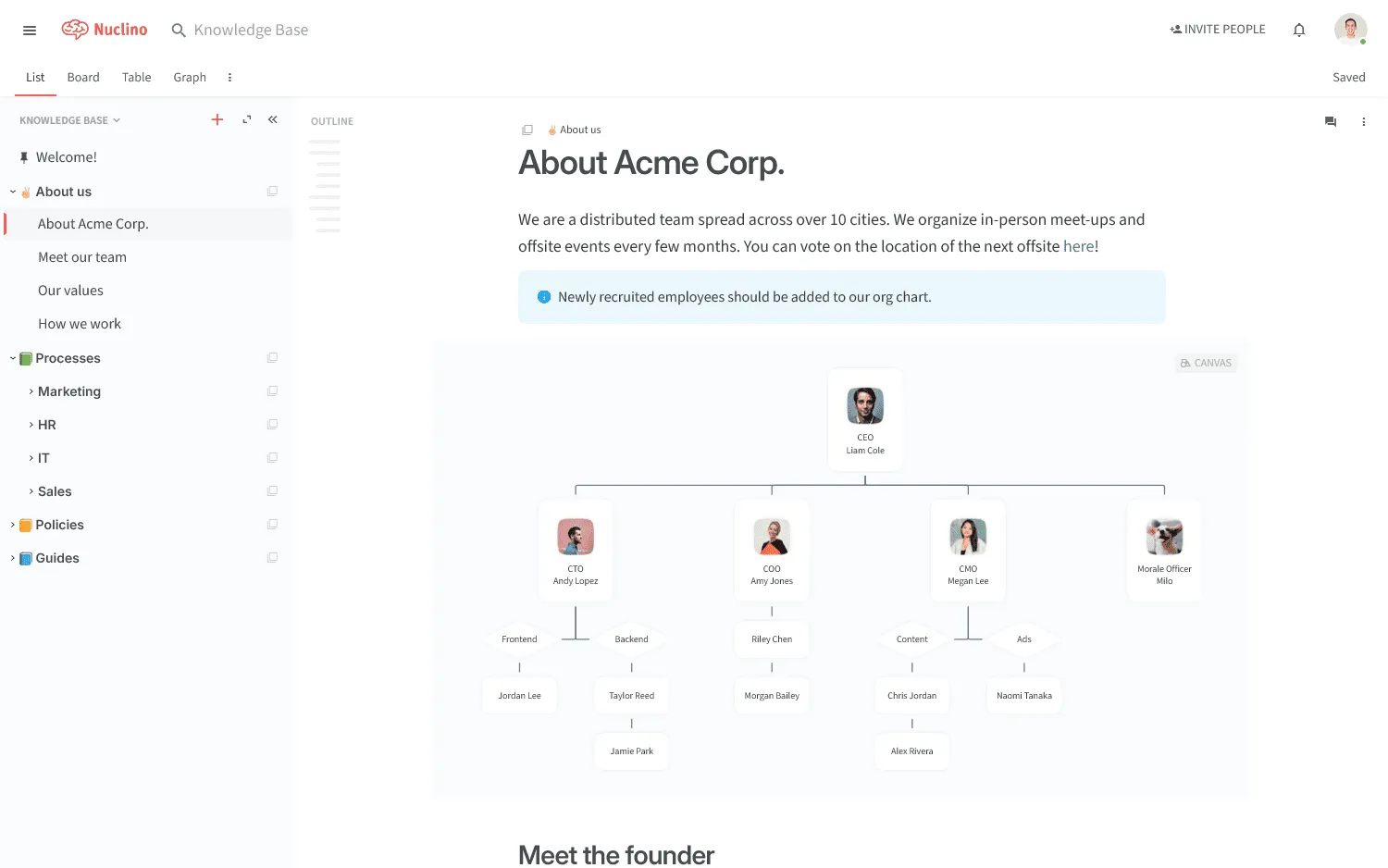
Nuclino is a lightweight Confluence alternative for internal knowledge, documentation, and lightweight project work. Workspaces and collections keep content organized, while internal links connect related pages. List, board, table, and graph views give people different ways to manage the same content.
The editor stays simple, with very little setup before people can start writing. There are no complicated page types or layers of macros to learn, and reorganizing the wiki doesn't require much admin work as more content gets added.
Nuclino can serve as a company wiki, handbook, onboarding hub, or home for project documentation and meeting notes. It suits small and mid-sized companies that want documentation and day-to-day work in one place without turning the wiki into a system that needs constant configuration.
Key features
- Real-time collaboration: Edit together, leave comments and mentions, and restore earlier versions with the version history.
- Internal links and backlinks: Connect related pages and navigate the wiki without relying only on folders.
- Flexible views: Switch between list, board, table, and graph views for knowledge or project work.
- Sidekick: Ask questions and get answers based on knowledge stored in Nuclino.
- Public sharing and integrations: Publish a workspace externally and connect other tools through integrations and the API.
Nuclino vs Confluence
Nuclino is simpler than Confluence, with less setup and fewer settings to manage. Confluence offers more administrative control and a much larger app ecosystem, especially around Jira. Nuclino suits companies that want a straightforward wiki that stays easy to manage. Read more in our Nuclino vs Confluence comparison.
Pricing
Nuclino has a free plan. Paid plans start at $6 per user per month.
2. GitBook
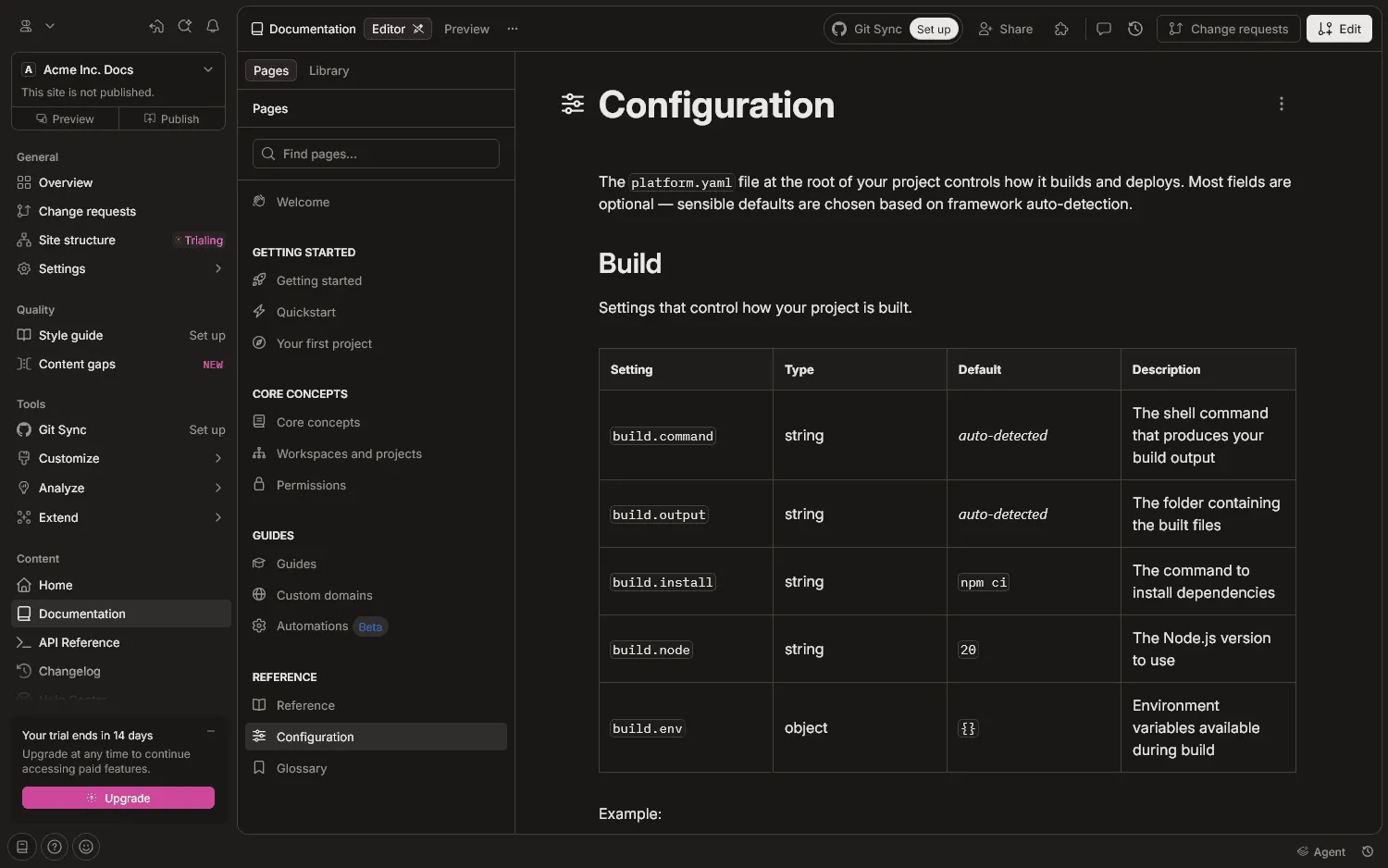
GitBook is purpose-built for technical documentation and product docs, with private internal docs, public documentation sites, API references, and review workflows.
Developers can work through GitHub or GitLab, while non-technical contributors use a visual editor. Changes can be reviewed before publishing, documentation can stay close to the codebase, and writers do not need to use Git to manage the reader-facing site.
Key features
- Visual editor and Markdown: Edit visually or work with Markdown and Git-based workflows.
- Git Sync: Sync documentation in both directions with GitHub or GitLab.
- Change requests: Review, discuss, and approve updates before publishing.
- Public and private docs: Manage internal documentation and reader-facing sites with access controls.
- API documentation: Add interactive API references and playgrounds, with custom domains, branding, and analytics on paid plans.
GitBook vs Confluence
GitBook is more specialized than Confluence, with developer guides, API docs, and published product documentation at the center of the product. Confluence covers a broader range of company knowledge. See how GitBook compares with Confluence.
Pricing
GitBook has a free plan for one user. Premium starts at $65 per site per month when billed annually, plus $12 per additional user.
3. Slite
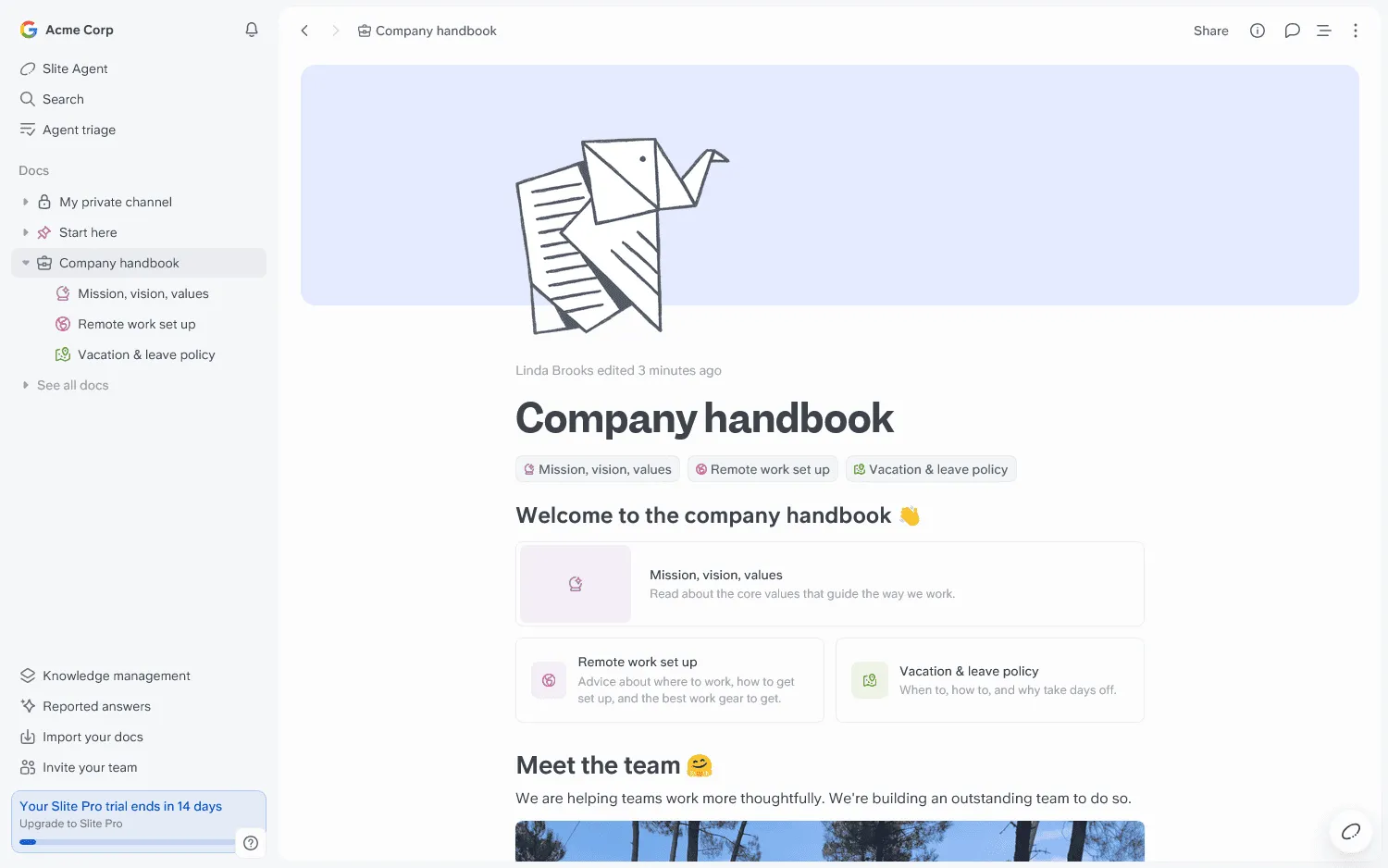
Slite is an internal knowledge base designed to help teams document information and keep it current. Alongside collaborative docs, it includes powerful search and verification workflows. Its Ask feature can answer questions using content already stored in the workspace.
Slite allows you to give important pages an owner and a review cycle, so outdated information is easier to catch. The maintenance side of the wiki is more explicit, with built-in reminders and verification around important content.
Key features
- Collaborative docs: Edit together, leave comments and mentions, and review document history.
- Ask: Search in natural language and get answers based on content stored in Slite.
- Ownership and verification: Assign page owners and review cycles to catch outdated information.
- Knowledge management panel: Surface documents that need review or other attention.
- API, MCP, and connected search: Connect Slite with other systems and search additional workplace tools on higher plans.
Slite vs Confluence
Slite puts more structure around keeping knowledge current, with ownership and review cycles built into the documentation workflow. Confluence offers more ways to customize spaces and extend them with apps. Our Slite vs Confluence comparison goes into more detail.
Pricing
Slite no longer has a permanent free plan. Basic costs $10 per user per month when billed yearly.
4. Tettra
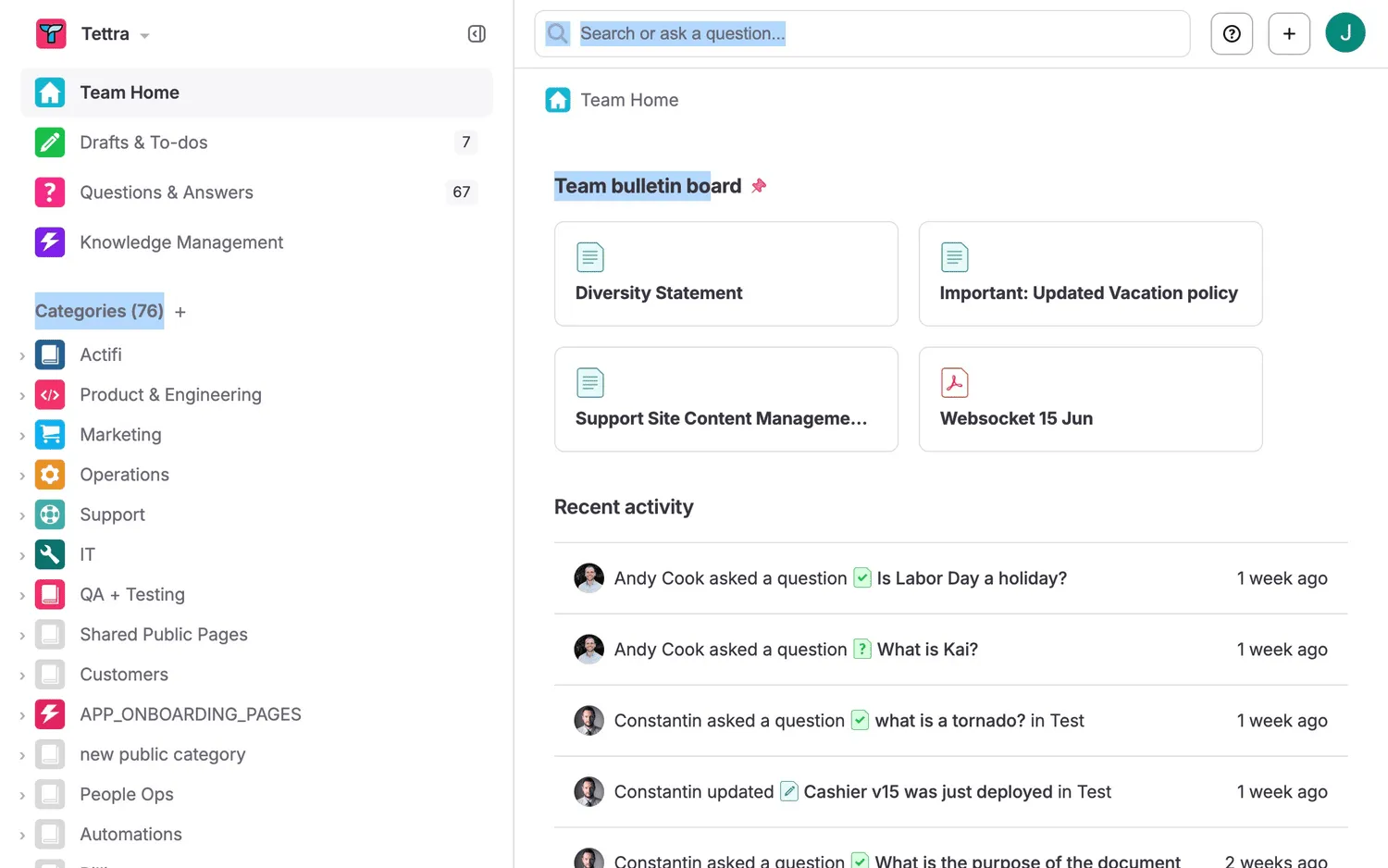
Tettra is a knowledge base built closely around Slack and internal Q&A. Employees can search existing documentation, ask a question when they cannot find an answer, and save the response so others can find it later.
When existing content does not answer a question, Tettra can route it to a subject matter expert. Once someone responds, the answer can become part of the knowledge base. The workflow keeps recurring questions from disappearing into chat history.
Key features
- Built-in Q&A: Route unanswered questions to the right person and save responses for later.
- Kai: Get AI answers based on knowledge already stored in Tettra.
- Slack integration: Search, ask questions, and capture answers without leaving Slack.
- Verification: Assign content owners and scheduled reviews to catch outdated answers.
- Integrations and analytics: Connect Google Workspace, use the API, and track how people use the knowledge base.
Tettra vs Confluence
Confluence centers on spaces and pages, while Tettra brings search and Q&A into Slack. Companies that already handle many internal questions there can turn those answers into reusable knowledge without sending people to a separate wiki. Tettra vs Confluence looks at the two products side by side.
Pricing
Tettra's Scaling plan starts at $8 per user per month when billed yearly, with a 10-user minimum.
5. You Need A Wiki
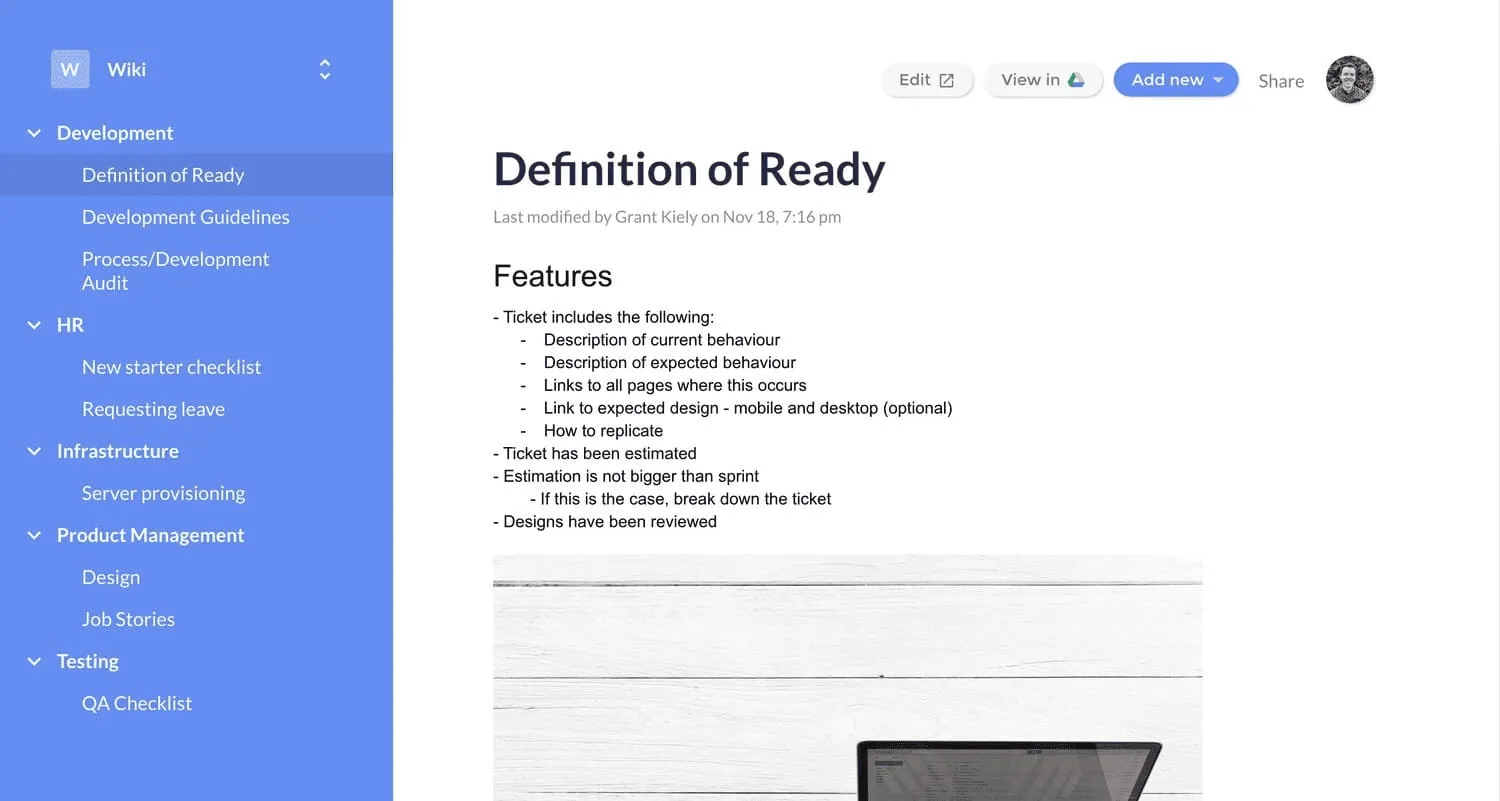
You Need A Wiki turns Google Drive into a more structured company wiki. People keep writing in Google Docs, while the product adds nested navigation, search, and a clearer way to browse shared documentation. Existing comments and permissions carry over, so there is very little change to the writing workflow.
Key features
- Google Drive stays at the center: Existing Docs and Drive folders remain the source of the wiki.
- Wiki navigation and search: Add nested navigation and full-content search around Google Docs.
- Public and private sharing: Keep a wiki private, share it externally, or publish it on a custom domain.
- Reader-friendly pricing: Paid plans include unlimited read-only users and support multiple wikis.
You Need A Wiki vs Confluence
You Need A Wiki keeps Google Docs as the editor and Drive as the source of the content. Confluence provides its own editor and a broader collaboration layer. Companies already centered on Google Workspace can switch without changing how people create and edit documents.
Pricing
You Need A Wiki is free for one user. Team plans start at $19 per month for up to 10 users, charged as a monthly total rather than per user.
6. SharePoint
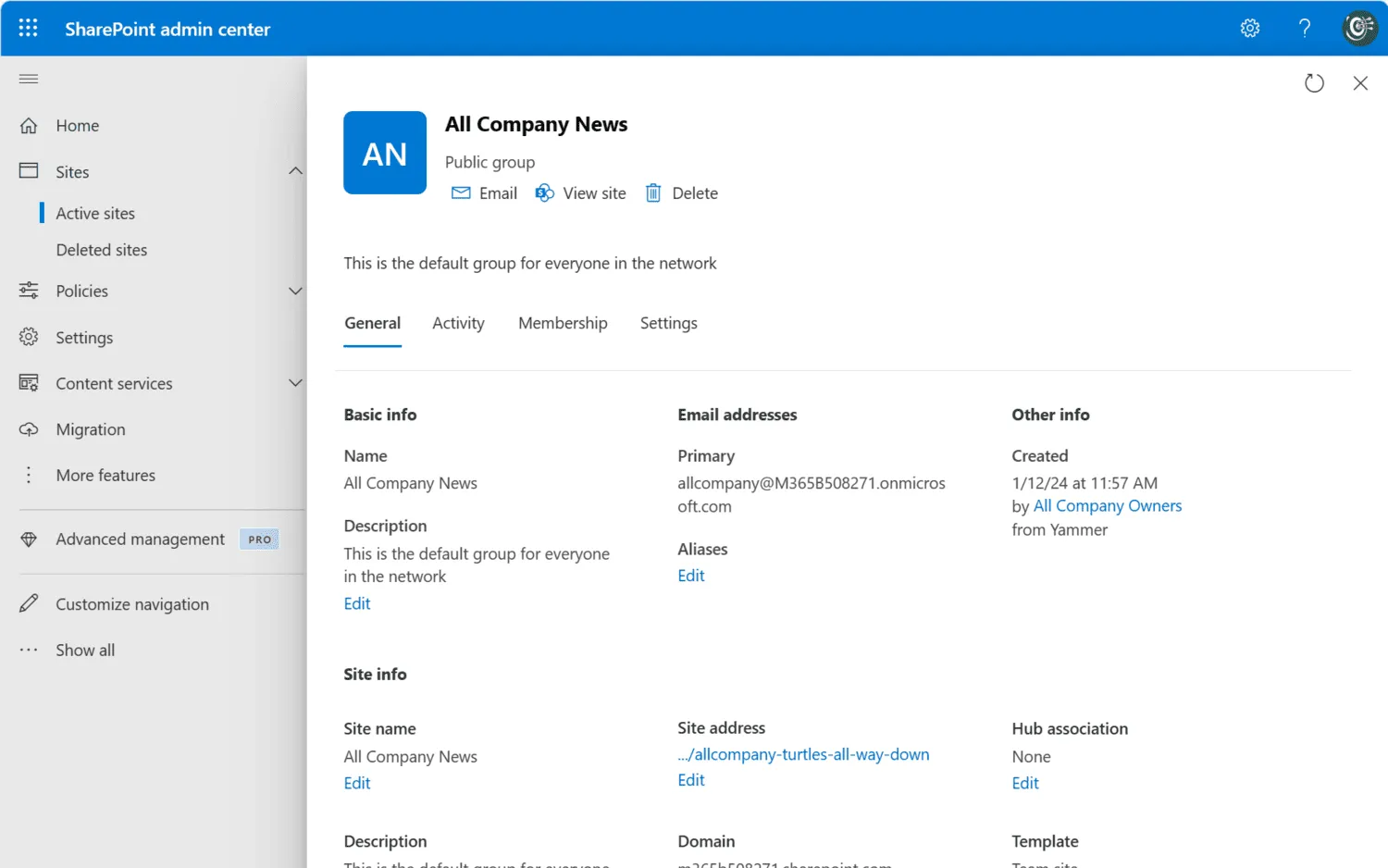
SharePoint is one of the most established Microsoft alternatives to Confluence. It brings intranet pages, document libraries, internal resources, and access controls into the same Microsoft 365 environment as Teams, OneDrive, and Office.
Many companies use SharePoint for more than wiki-style documentation. It can power a company intranet, organize large collections of files, and give different departments their own sites while IT manages permissions and security centrally.
Key features
- Team sites and intranets: Create department sites, company portals, and internal pages in Microsoft 365.
- Document libraries: Organize files with version history, metadata, and access controls.
- Coauthoring and search: Edit Office files together and search SharePoint through Microsoft Search.
- Microsoft 365 integration: Connect with Teams, OneDrive, Microsoft Lists, Office, and Microsoft identity.
SharePoint vs Confluence
The surrounding ecosystem usually decides this comparison. SharePoint connects deeply with Microsoft 365 and also covers intranet publishing and document management. Confluence is more closely tied to Jira and generally requires less Microsoft-specific administration. Read Confluence vs SharePoint for a direct comparison.
Pricing
SharePoint Plan 1 costs $5 per user per month with annual billing.
7. Guru
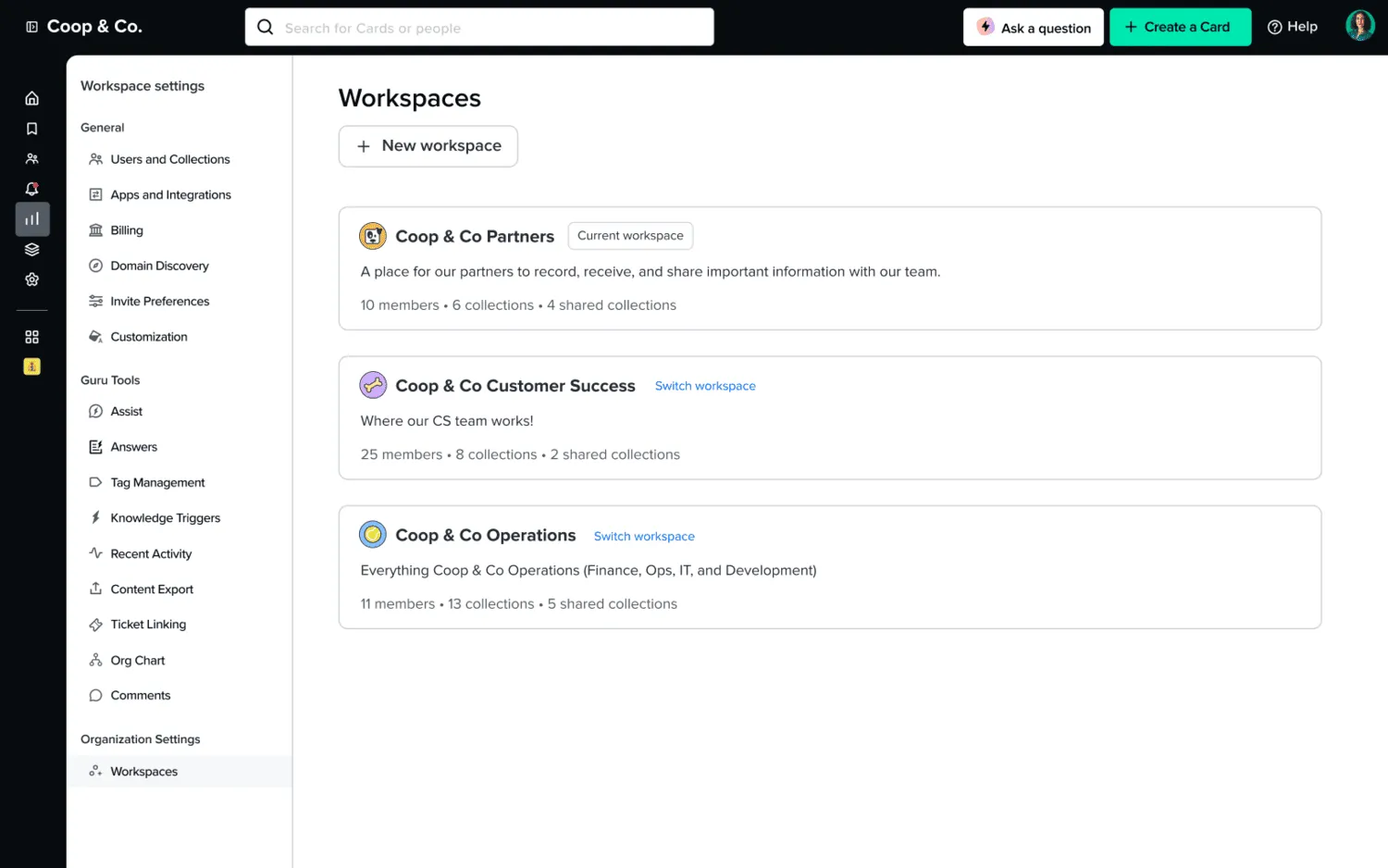
Guru takes a different approach to replacing Confluence. Rather than asking a company to move all of its knowledge into one place, it connects information from tools such as Slack, SharePoint, Salesforce, and Confluence and makes it searchable from a single interface.
Guru also puts more structure around keeping important information accurate. Content can have an owner, go through verification, and feed into AI-powered answers that respect existing permissions. The product is geared more toward larger organizations where knowledge already lives across several systems.
Key features
- AI search: Return cited answers from connected knowledge while respecting source permissions.
- Verification and ownership: Assign responsibility for important information and build in regular review.
- Knowledge Agents: Answer questions from approved sources inside other workplace tools.
- Broad integrations: Connect more than 100 systems, including Slack, Teams, Salesforce, Confluence, and SharePoint.
Guru vs Confluence
Confluence gives people one place to create and organize knowledge. Guru searches across existing tools and retrieves information from several sources, so it fits companies with a more distributed knowledge setup. We compare the two more closely in Guru vs Confluence.
Pricing
Guru doesn't publish fixed prices. Pricing is available on request.
8. Document360
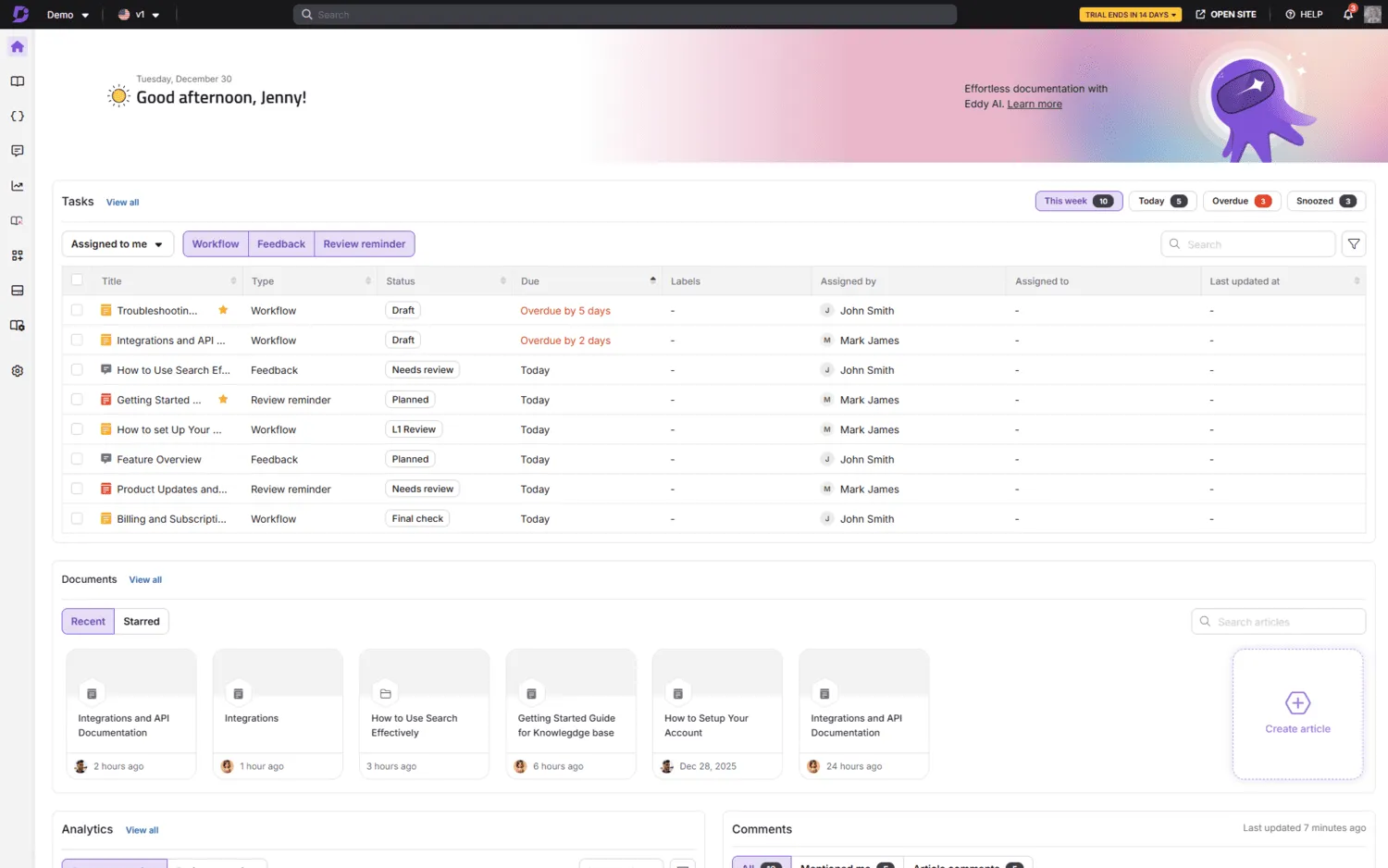
Document360 is a dedicated documentation platform for internal knowledge bases, customer help centers, software docs, and API documentation. It separates the authoring side from the reader-facing site, giving writers and editors their own workspace while visitors use a separate reader-facing site.
Documentation teams can set up review and approval workflows, publish in multiple languages, customize the site, and track how readers use the content. Search analytics also reveal what people are looking for and which queries fail to return a helpful answer.
Key features
- Internal and customer-facing knowledge bases: Manage private documentation and public help content in the same platform.
- Review and publishing workflows: Add approvals, review reminders, and revision history.
- Reader-facing site tools: Customize navigation and design, publish in multiple languages, and manage SEO.
- Enterprise controls: Use SSO, SCIM, role-based access, APIs, integrations, and AI search.
Document360 vs Confluence
Document360 fits documentation with a defined publishing process and audience. Confluence handles a wider mix of internal content and work connected to Jira. Document360 gives documentation managers more control over publishing and the reader-facing site. The differences are covered in Confluence vs Document360.
Pricing
Document360 pricing is quote-based.
9. Superhuman Docs (formerly Coda)
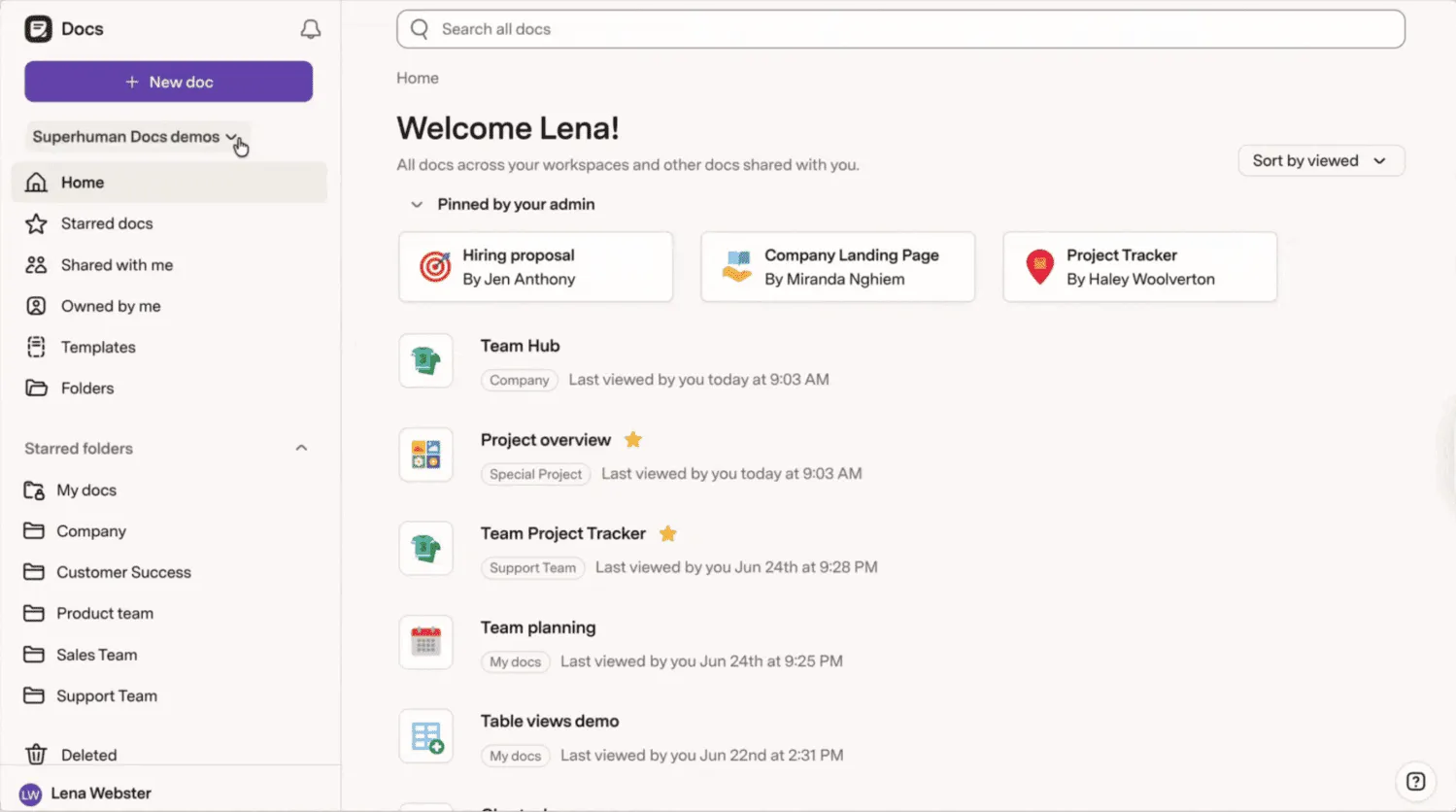
Coda became Superhuman Docs in July 2026. The product still blends collaborative docs with tables, formulas, views, automations, and integrations, so a document can hold both written guidance and live operational data.
A knowledge base can grow into a tracker, planning system, approval flow, or lightweight internal tool without moving the underlying information elsewhere. Connected tables and views make structured data a central part of the page rather than an add-on.
Key features
- Docs with structured data: Mix writing with connected tables, charts, boards, calendars, and forms.
- Formulas and automations: Build calculations, buttons, rules, and recurring actions into a workspace.
- Connected apps: Use more than 800 integrations, including two-way sync with Jira and Salesforce.
- Docs AI and MCP: Search document data and connect that context to compatible AI tools.
Superhuman Docs vs Confluence
Superhuman Docs puts more structured data and workflow logic inside documents. Confluence remains centered on pages and spaces, with deeper ties to Jira. Superhuman Docs fits companies that want project data and documentation closely connected. Our Coda vs Confluence comparison looks at the two approaches in more detail.
Pricing
Superhuman Docs has a free plan. Pro starts at $12 per member per month when billed annually.
10. Notion
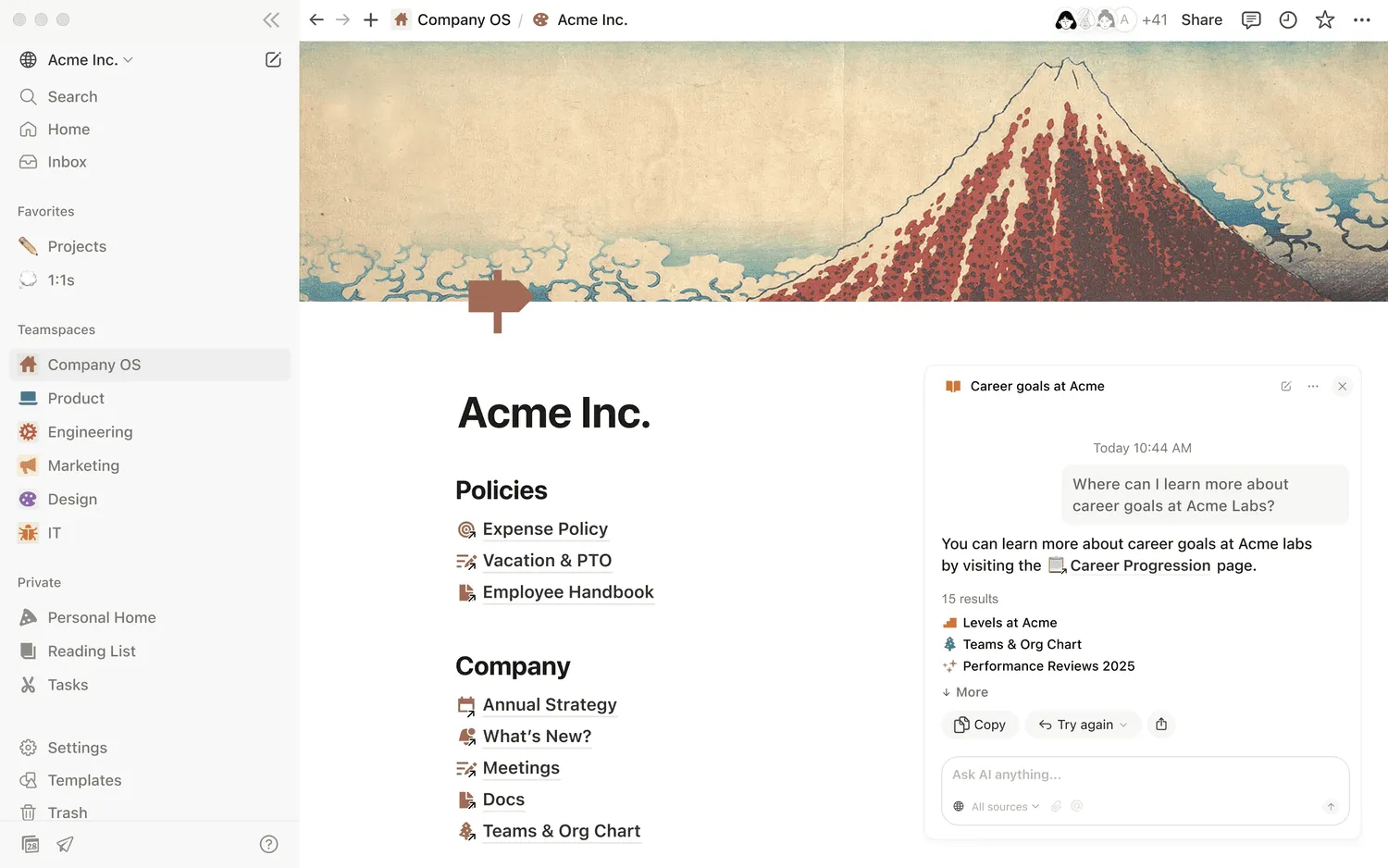
Notion is one of the best-known Confluence alternatives, especially for companies that want a wiki and a broader workspace in the same product. It combines pages with databases, forms, and project views, so documentation can connect directly to structured information.
Key features
- Pages and teamspaces: Organize documentation with nested pages, internal links, permissions, and shared areas.
- Wiki ownership and verification: Assign page owners and mark important content as verified.
- Databases: Display structured information as tables, boards, calendars, timelines, and other views.
- Forms, projects, and publishing: Collect information, track work, and publish selected pages.
- Integrations: Connect Notion with Slack, GitHub, Figma, Jira, and other workplace tools.
Notion vs Confluence
Notion gives people more freedom to combine documentation with databases and project work. Confluence keeps a more traditional spaces-and-pages structure and deeper ties to Jira. Notion suits companies that want more flexibility around structured data, though larger workspaces need clear conventions. Read Confluence vs Notion for a closer comparison.
Pricing
Notion has a free plan. Plus starts at $10 per member per month with annual billing.
Free, open-source, and self-hosted Confluence alternatives
Open-source Confluence alternatives give companies more control over hosting, data, and customization. Most are free to use, but running them yourself means taking care of deployment, backups, security updates, and maintenance.
| Tool | Best for | Hosting | Price |
|---|---|---|---|
| BookStack | Straightforward internal wikis | Self-hosted | Free |
| Wiki.js | Customizable company wikis | Self-hosted | Free |
| XWiki | Larger, more complex wiki deployments | Self-hosted or managed | Free open-source version |
| Docusaurus | Developer and product documentation | Self-hosted | Free |
BookStack
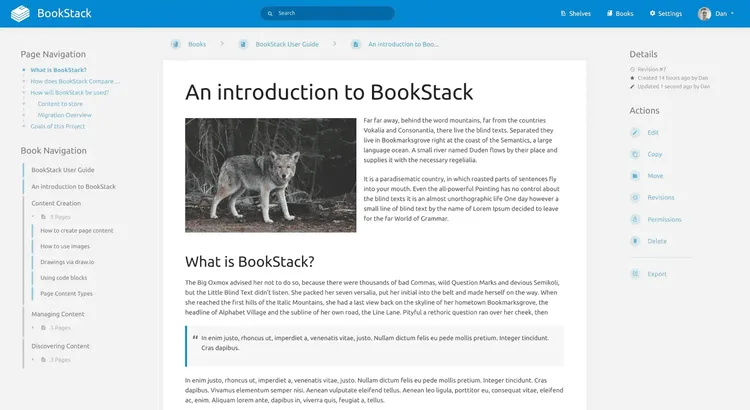
BookStack is one of the simpler open-source alternatives to Confluence. Content follows a fixed hierarchy of books, chapters, and pages, with WYSIWYG and Markdown editing, search, revisions, permissions, diagrams, and several authentication options. It suits companies that want a conventional self-hosted wiki and do not need Confluence's broader collaboration features.
Wiki.js
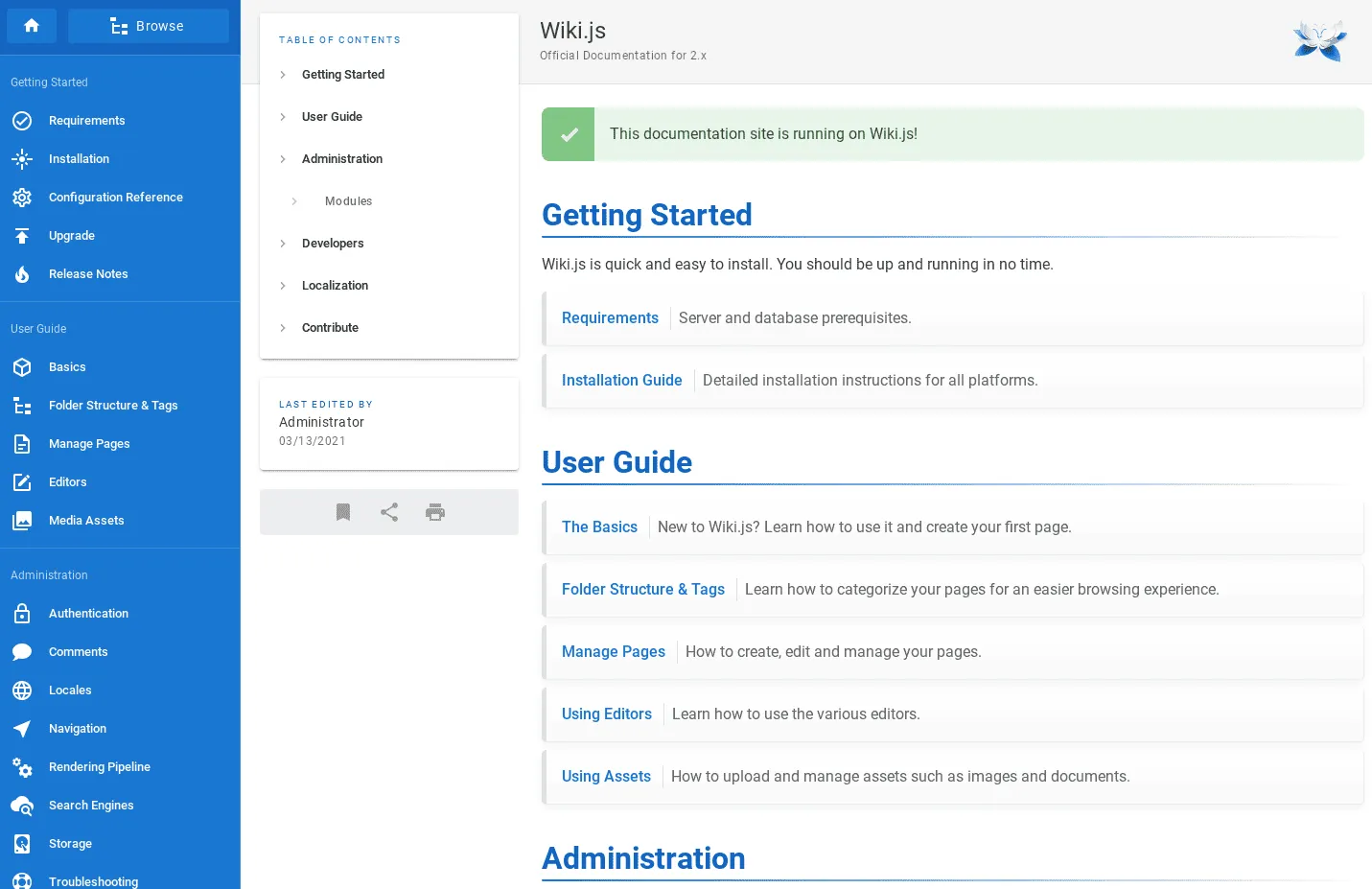
Wiki.js is a free, open-source wiki built on Node.js. It supports several editors, public and private content, localization, page history, and integrations for authentication, search, storage, and logging. Compared with Confluence, it gives technical teams more control over the infrastructure but requires more setup and maintenance.
XWiki
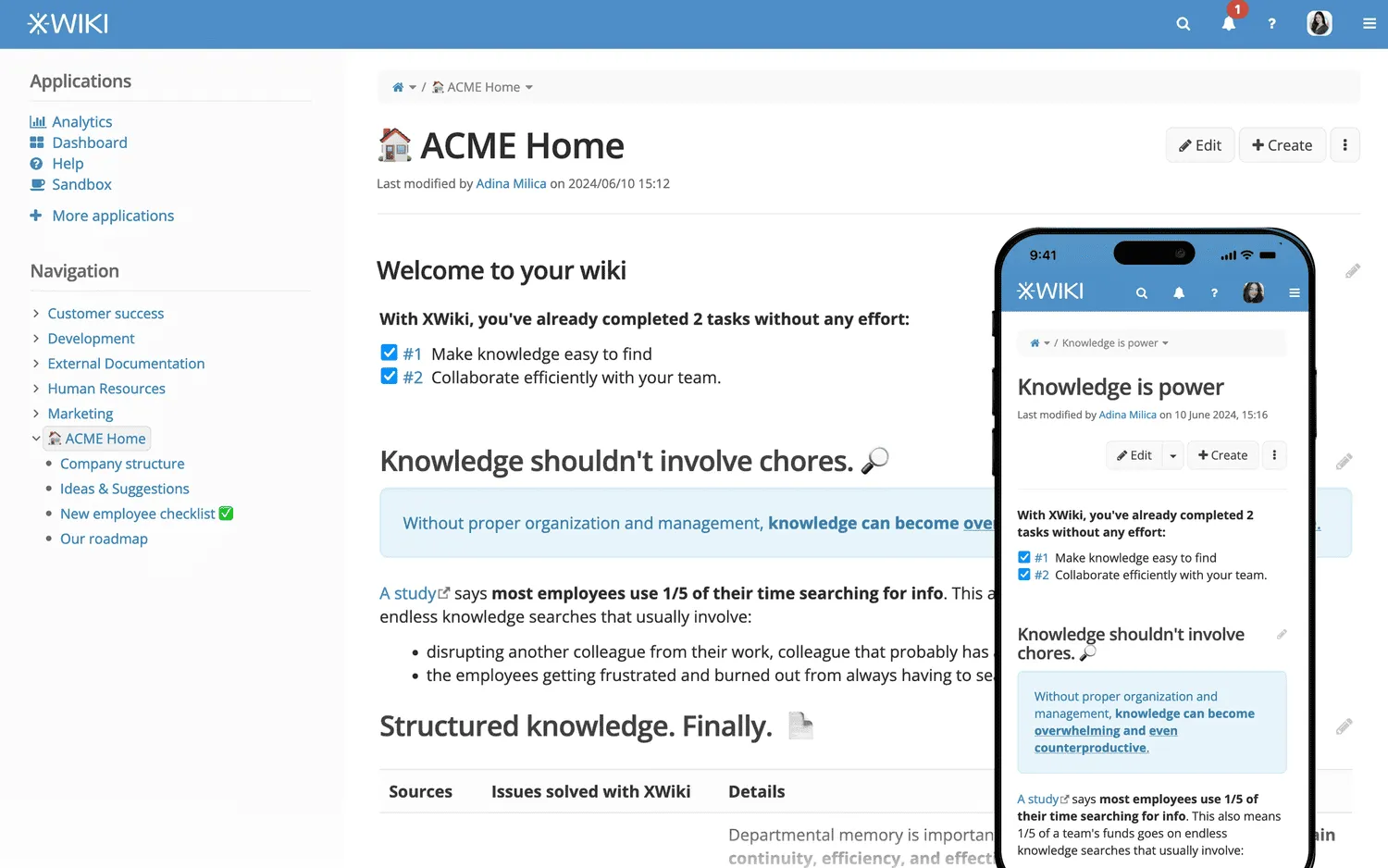
XWiki is one of the closest open-source alternatives to Confluence for larger deployments. It combines an enterprise wiki with detailed permissions, extensions, and tools for building applications around wiki content. Its Confluence migration tooling can import spaces, users, permissions, history, and other content from a backup.
Docusaurus
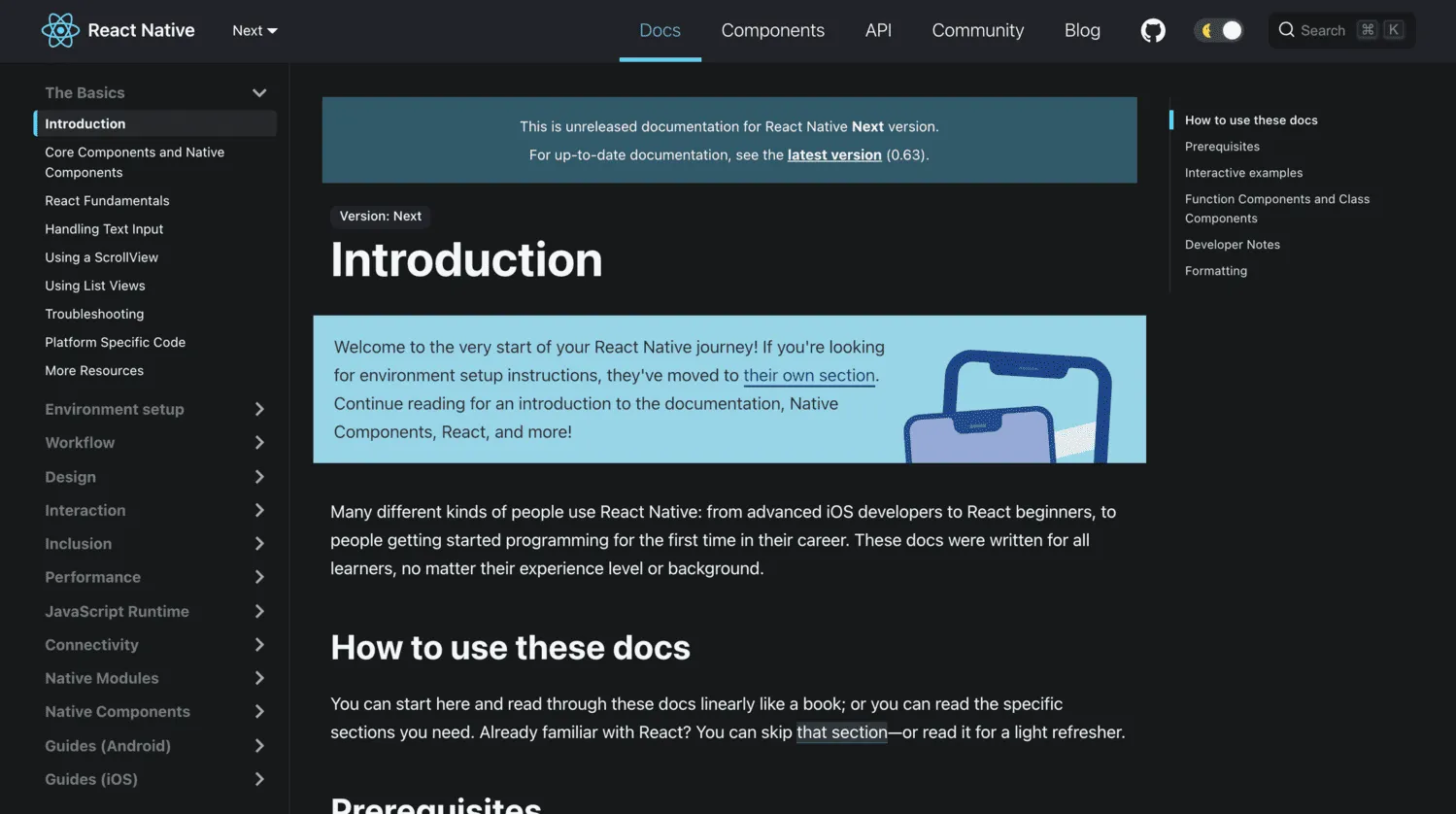
Docusaurus is an open-source documentation site generator built around Markdown, MDX, Git, and standard development workflows. It supports versioning, internationalization, search integrations, and React customization. It fits engineering documentation managed through pull requests, but not an all-company Confluence wiki where non-technical contributors need an easier editing workflow.
How we evaluated Confluence alternatives
We focused on products that can realistically replace Confluence for the kinds of work people commonly use it for.
Our evaluation criteria
- Ease of use: How quickly people can create, organize, and find documentation.
- Knowledge organization: Pages, navigation, search, permissions, and ownership.
- Collaboration: Editing, feedback, review, and content maintenance.
- Documentation needs: Support for internal, public, and developer documentation.
- Integrations: Connections with Jira, Slack, GitHub, Google Workspace, and Microsoft 365.
- Pricing and administration: Cost at realistic team sizes and ongoing admin work.
Product features and prices were checked against vendor documentation in September 2026. The ranking is not based on sponsorships or paid placements.
How to choose the right Confluence alternative
The right replacement depends on what Confluence currently does in your company. A straightforward internal wiki calls for a different product than a public documentation site or a workspace tied closely to Jira.
| If you need... | Options to compare |
|---|---|
| A more modern, user-friendly internal wiki | Nuclino, Slite |
| Internal Q&A in Slack | Tettra |
| Developer or product documentation | GitBook, Document360 |
| A Microsoft alternative to Confluence | SharePoint |
| A wiki based on Google Docs | You Need A Wiki |
| Knowledge spread across several tools | Guru |
| An alternative to both Confluence and Jira | Nuclino, Notion, Superhuman Docs |
| A self-hosted Confluence alternative | BookStack, Wiki.js, Docusaurus, XWiki |
| Documentation managed through Git | Docusaurus, GitBook |
Frequently asked questions
What are the best free alternatives to Confluence?
Nuclino, GitBook, Notion, and Superhuman Docs all have free plans. You Need A Wiki is free for one user. For self-hosting, BookStack, Wiki.js, XWiki, and Docusaurus are free to use, though hosting and maintenance still cost money.
What are the best alternatives to Confluence for small teams?
Nuclino is our pick for a small company that mainly needs an internal wiki with little setup. Slite adds more structure around ownership and verification, while You Need A Wiki keeps Google Docs at the center. Notion fits companies that also want databases and project views.
What are the best Confluence alternatives for documentation?
GitBook is built for technical and product documentation, especially when Git-based workflows or public publishing matter. Document360 focuses on managed knowledge bases and help centers. Docusaurus is an open-source option for documentation kept in Git. Nuclino covers internal documentation, handbooks, and shared company knowledge.
What are the best alternatives to Jira and Confluence?
Nuclino, Notion and Superhuman Docs can replace parts of both products when a company needs documentation and lighter project tracking. None of them matches Jira's full issue-management workflow, so companies with more complex development workflows may still need a separate project tracker.
What are the best alternatives to Confluence for engineering teams?
GitBook is a good fit for engineering groups that maintain product, developer, or API documentation. Docusaurus keeps documentation in Git and fits pull-request workflows, while Nuclino is better suited to engineering handbooks and internal knowledge.