In 2012, McKinsey reported that on average, “employees spend 9.3 hours per week searching and gathering information”.
The number of tools we use to get things done is constantly growing, and important information inevitably gets scattered across Slack, Google Drive, and email. It's not surprising that finding what you need turns into a challenging task. As a result, time gets wasted with repetitive questions, work gets duplicated, and new employees take longer to reach full productivity.
Learn how creating a corporate wiki for your business can prevent this from happening and keep all corporate knowledge organized and accessible.
What is a corporate wiki?
A corporate wiki is where your team can document and organize all information that matters. It can include onboarding checklists, standard operating procedures, product requirements, team playbooks, and more. A corporate wiki is also often referred to as a company wiki, an enterprise wiki, a business wiki, or an internal wiki.
A corporate wiki is created and maintained collaboratively by the employees. It acts as your team's single source of truth – you can think of it as your company's own internal corporate Wikipedia. You can easily create it using the corporate wiki software of your choosing.
Here's an example of what a corporate wiki could look like in Nuclino, a unified workspace where teams can bring all their knowledge, docs, and projects together in one place.
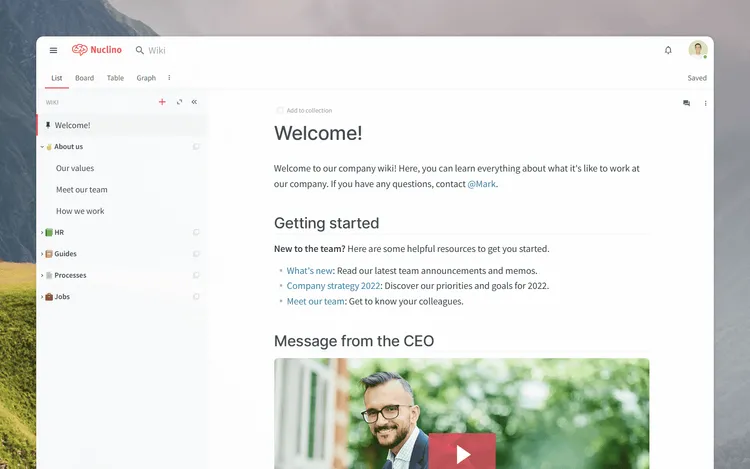
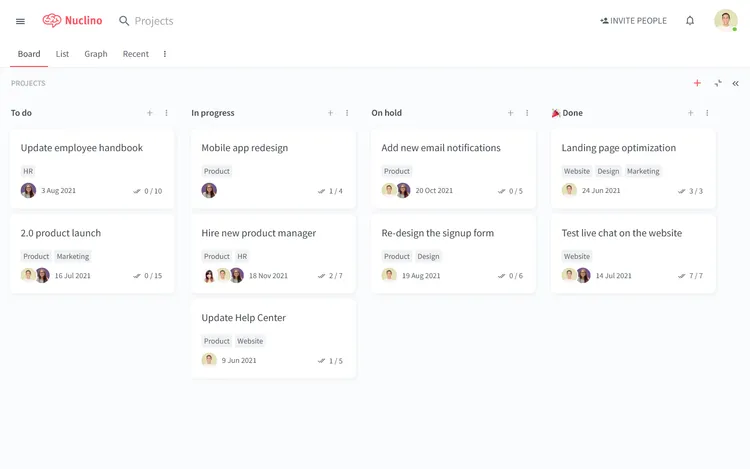
While Nuclino can be used exclusively as a corporate wiki, it's a highly versatile tool that is capable of much more. It offers a variety of ways to structure and visualize your content, including a nested list, a Kanban board, a table, and a mindmap-style graph. This makes Nuclino a great solution for many additional use cases, including project collaboration, sprint planning, asynchronous communication, and more. Nuclino works like a collective brain, allowing you to bring all your team's knowledge, docs, and projects together in one place and collaborate without the chaos of files and folders, context switching, or silos.
A corporate wiki vs. a company knowledge base
The term "corporate wiki" is often used interchangeably with "internal knowledge base". Indeed, there is a significant overlap between the two product categories and their intended purpose. At the same time, there are some fundamental distinctions between how they tend to work.
Wiki software is built around the idea of crowdsourcing knowledge. It aims to facilitate team collaboration and help employees collectively maintain the content. On the other hand, knowledge base software is best suited for a small group of editors who are responsible for creating and maintaining the information.
Ultimately, both tools can be successfully used for knowledge sharing. p Learn more about the differences between a knowledge base and a wiki: Wiki vs knowledge base.
The benefits of having a corporate wiki
It has been estimated that Fortune 500 companies lose roughly $31.5 billion a year by failing to share knowledge.
Knowledge is a company asset like any other. Yet, due to its intangible nature, its value is frequently underestimated and important best practices get overlooked. While FAQ sections and help centers for customers are commonplace, many companies neglect to create a wiki or a knowledge base for their own teams. Employee productivity is, however, no less important than customer satisfaction, and can potentially make or break your business.
Here is why creating a corporate wiki is a worthwhile endeavor:
Team productivity goes up
When employees don't share information, they are likely to repeat each other's mistakes, try to "reinvent the wheel" when solving problems, and waste hours every week searching for the information they need. A corporate wiki can boost their productivity and help them make faster, more informed decisions.
New employee onboarding becomes streamlined
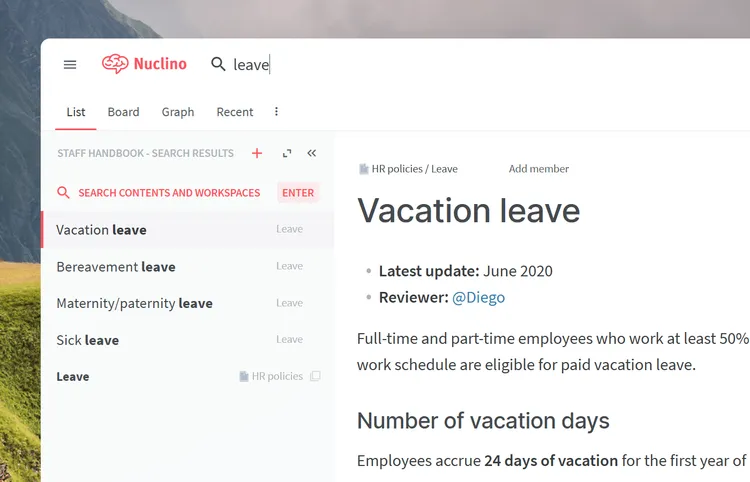
Creating a corporate wiki is a great way to get new employees up to speed faster, because it gives them access to all your corporate knowledge, minimizing repetitive questions. Is there a dress code? What's the vacation policy? How will my performance be evaluated? Instead of having to tap on shoulders, the new employee will be able to easily look up the answers.
Documenting the onboarding process itself can also speed things up. Don't make your team managers reinvent the wheel for every new hire – instead, standardize and capture your existing process in your corporate wiki.
Company knowledge is documented and stays in the company
When your long-time employees leave or retire, they take their knowledge with them. A team wiki can make such transitions much smoother, retaining knowledge within the company to the benefit of both existing and future employees.
How to create a corporate wiki
Step 1: Select the best corporate wiki software
One reason why many companies struggle with maintaining their corporate wikis is that most traditional wiki tools are too complex and unintuitive. Setting up a wiki using software like MediaWiki or DokuWiki and keeping it up-to-date requires time and effort from an experienced developer, and many companies don't have the resources to spare.
Fortunately, this is no longer the case, and you have quite a few user-friendly corporate wiki tools to choose from. When evaluating potential solutions, keep in mind that the best corporate wiki software should:
- Provide an instant and reliable search function.
- Have intuitive navigation and content hierarchy.
- Be easily editable even by non-technical users, ideally, in real time.
- Have permissions and access rights management.
- Allow easy linking between pages.
- Integrate with other tools to keep all content in sync.
One such corporate wiki tool is Nuclino. Unlike many traditional wiki platforms, with Nuclino there's nothing to install or configure, it works directly from your browser. Simply create an account to get started.
Step 2: Import or create content
Many teams are using Nuclino as a Confluence alternative or Google Docs alternative. If you are switching from these or any other software, you can easily import your content into Nuclino.
If you are starting from scratch, you may want to begin by creating a dedicated workspace for each high-level topic, for example, Engineering, Customer Support, HR, and so on. After you have the basic structure in place, you can go ahead and start adding content. The intuitive WYSIWYG editor makes it easy to get started.

All content in Nuclino can be collaborated on in real time, automatically saving every change in version history and preventing version conflicts. Integrations with 50+ different apps allow you to bring your wiki pages to life with interactive media embeds.
Step 3: Link related pages together
People will only use a corporate wiki if it is set up and structured in a way that makes it easy to navigate. If things are chaotic, getting people on board will be hard and the wiki will eventually get abandoned.
One of the core features of a wiki is internal linking. In Nuclino, linking pages together is as easy as typing an "@", allowing you to instantly organize information without even thinking.
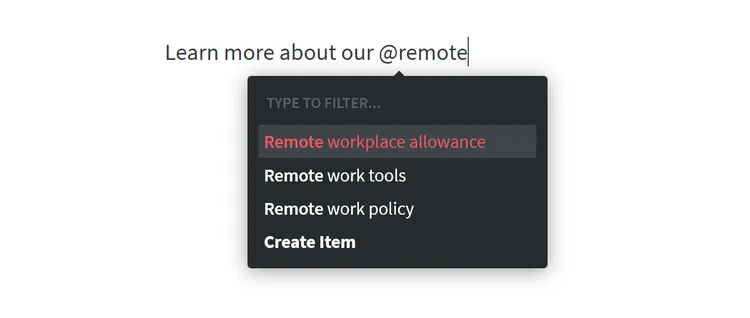
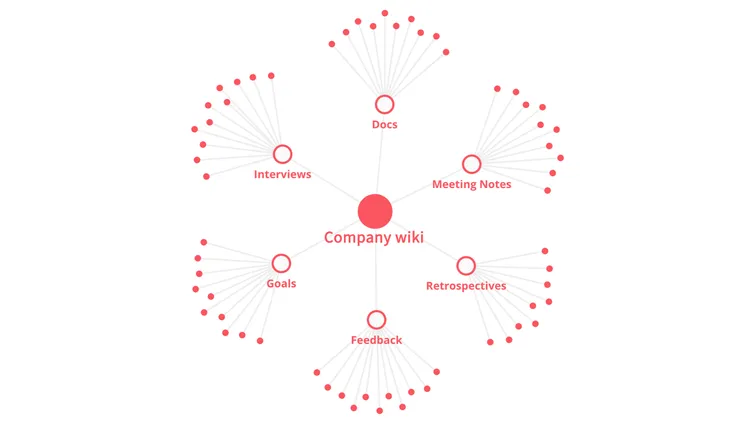
Internal links allow you and your team to navigate and explore your wiki in a more intuitive and natural way. In Nuclino, all your team's interconnected documents automatically create an interactive mind map, giving you an easy overview of all your internal documentation. Watch it grow as your team adds more content.
Step 4: Configure access rights
To properly configure permissions and access rights for your team members, there are several decisions you need to make:
- Which information should be shared with everyone and which should be private?
- Which team members should be able to edit the content in your wiki?
- Which team members should have access to account settings and billing?
Nuclino aims to keep roles and permissions as straightforward as possible, so this should be a fairly easy task.

Step 5: Create a beautiful welcome page
First impressions matter, as does the first page your team members see when they join your corporate wiki. Getting used to a new tool is not easy, so a welcome page is a perfect opportunity to provide some guidance on how to use it and where to find what.
What is the purpose of this wiki? What is the most important information? Who is expected to keep it up-to-date? Who do I turn to if I have questions? The welcome page of your wiki is a great place to clarify these and any other questions your new team members may have about your new corporate wiki.
At the end of the day, a corporate wiki can only serve its purpose if it's regularly consulted and updated. If your team has never used a wiki before, you may also need to invest time into communicating its value to your colleagues.
More often than not, documentation is seen as a boring and tedious chore. Without clear incentives, your team is unlikely to change their habits and start actively contributing. Make it a team KPI. Reward the most active wiki contributors. Get the ball rolling, and the rest of your team will follow.
Sign up for a Nuclino account and get started with your corporate wiki. Your entire team will benefit from being able to share and find the knowledge they need.