A wiki gives related information a structure that can grow over time. Pages can link to one another, people can update them as things change, and search helps readers find information without knowing exactly where it lives.
You can build a wiki for a company, a community, a project, or just for yourself. The setup changes depending on who needs access and whether you want to manage the hosting yourself.
This guide covers the main decisions involved in creating a wiki, including choosing software, organizing the content, setting access, and keeping the information up to date.
How to create a wiki step by step
Step 1: Choose the type of wiki and software
Before comparing tools, decide who the wiki is for and who should be able to access it.
| Type of wiki | Common uses | Access |
|---|---|---|
| Company or team wiki | Policies, processes, onboarding, internal documentation | Employees or selected teams |
| Public or community wiki | Reference material, fan wikis, community knowledge | Public, with open or restricted editing |
| Project wiki | Research, decisions, requirements, project documentation | Project members and collaborators |
| Personal wiki | Notes, research, writing, worldbuilding | Usually one person |
That narrows the software choices considerably. A public community wiki may need moderation and extensive revision history. A company wiki is more likely to depend on permissions, search, and collaboration. Someone creating a personal wiki may care more about local storage and portability.
When comparing software, pay attention to:
- Hosting: Hosted service, self-hosted software, or local storage
- Editing: How easy it is to create and update content
- Search: How information can be found once the wiki grows
- Organization: Hierarchy, categories, tags, collections, and internal links
- Access: Public sharing, private areas, roles, and permissions
- Export: Whether you can retrieve your content in a useful format
Our wiki software comparison covers hosted, self-hosted, open-source, team, and personal wiki tools.
If you're building an internal resource for an organization, our internal wiki guide or company wiki guide covers that use case in more depth. For restricted-access projects, see our guide to creating a private wiki.
Step 2: Plan the structure
Sketch out the main areas of the wiki before creating dozens of pages.
A simple starting structure could look like this:
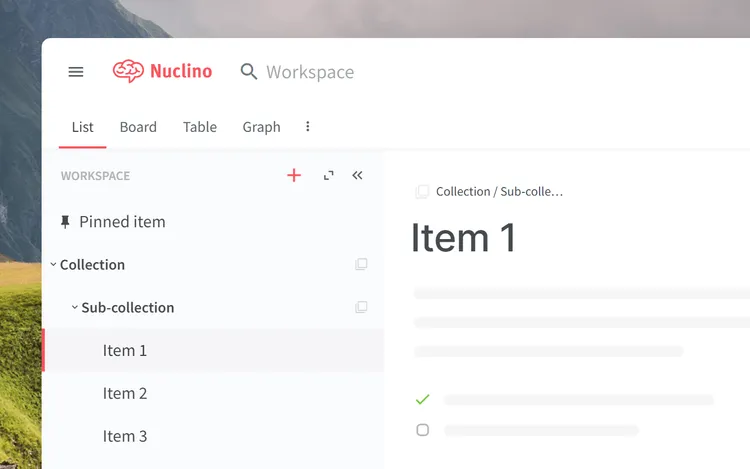
- Company wiki: People, Processes, Teams, Onboarding, Resources
- Community wiki: Topics, People, Places, Events, Reference
- Project wiki: Overview, Requirements, Research, Decisions, Resources
- Personal wiki: Projects, Notes, Research, People, Reference
Try to organize information around topics people will recognize rather than recreating every folder, department, or project you already have elsewhere. Keep the hierarchy shallow at first. It is usually easier to add another level later than to reorganize an elaborate structure nobody understands.
Think about where a reader would look for something before deciding where the page belongs. If a page could reasonably live in several places, choose one location and use internal links to connect it to the other relevant topics.
If several people will contribute, agree on a few basic conventions early:
- Page names: Use clear titles that describe the subject directly.
- Categories: Avoid creating two sections for essentially the same kind of information.
- Ownership: Decide who should maintain important pages once they exist.
- Templates: Use a consistent structure for recurring content such as meeting notes, procedures, or character profiles.
These conventions do not need to be complicated. Their main purpose is to prevent the wiki from becoming harder to navigate as more people add content.
Step 3: Create the first pages
Start with the home page. It should make the wiki understandable to someone opening it for the first time.
Include:
- A short introduction: Explain what the wiki contains and who it is for.
- Links to the main sections: Give readers an obvious way into the content.
- Frequently used information: Surface a few pages people are likely to need regularly.
- A starting point for contributors: If several people can edit the wiki, make it clear where new information belongs.
Then create the pages people already have a reason to use. A company wiki might begin with important policies, onboarding information, and recurring processes. A project wiki could start with the overview, requirements, key decisions, and reference material.
Use titles that describe the information directly. "Expense policy" or "Deployment process" will be easier to recognize and search for than names that only make sense to the person who created them.

Keep individual pages focused enough that they can be linked and updated independently. A large "Everything about Engineering" page will usually become harder to maintain than separate pages for deployment, code review, environments, and other recurring topics.
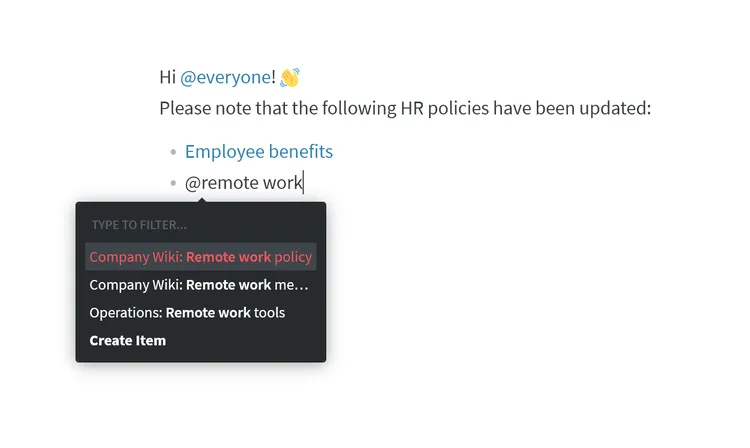
As more pages appear, link related information together. If one page mentions a subject that already has its own page, link to it there. Internal links let readers follow the relationships between topics without relying entirely on the main hierarchy.
There is no reason to fill the wiki before anyone starts using it. Add the information you already need, then expand it as new questions and gaps come up.
Step 4: Set access and invite contributors
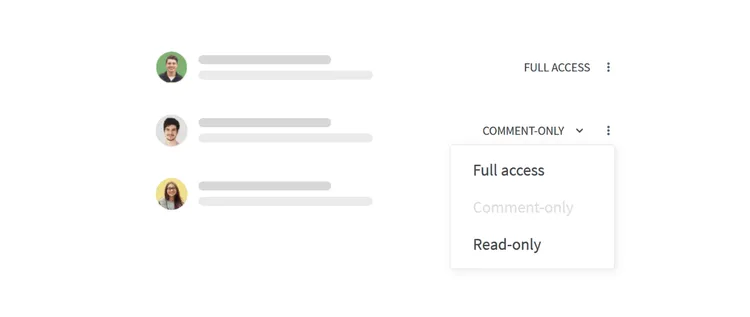
Decide who can read and edit the wiki before adding anything sensitive. A public project may allow anyone to read the content while limiting editing to registered contributors. An internal wiki may be open across the company with a few restricted areas for HR, finance, or leadership.
If the software supports several roles, test them with a separate account. Check what that account can open, edit, share, and delete rather than assuming the permissions work the way you expect.
For a collaborative wiki, you may want to invite a smaller group first. Let them use it normally for a while and see where the structure or permissions cause confusion before opening it to everyone.
Step 5: Keep the wiki up to date
Once people start relying on the wiki, outdated information becomes a bigger problem than an incomplete page.
Important policies, procedures, and reference material should have someone responsible for keeping them current. For important pages, it can help to record an owner and the date the information was last reviewed. That gives people a quick way to tell whether a page still has someone responsible for it.
Review frequency can vary. A fast-changing process may need attention every few months, while other pages can sit untouched for much longer. Watch for a few warning signs:
- Pages with conflicting information
- Repeated questions that the wiki should already answer
- Search results dominated by outdated content
- Important pages with no clear owner
Archive material that is no longer useful and merge duplicates when you find them.
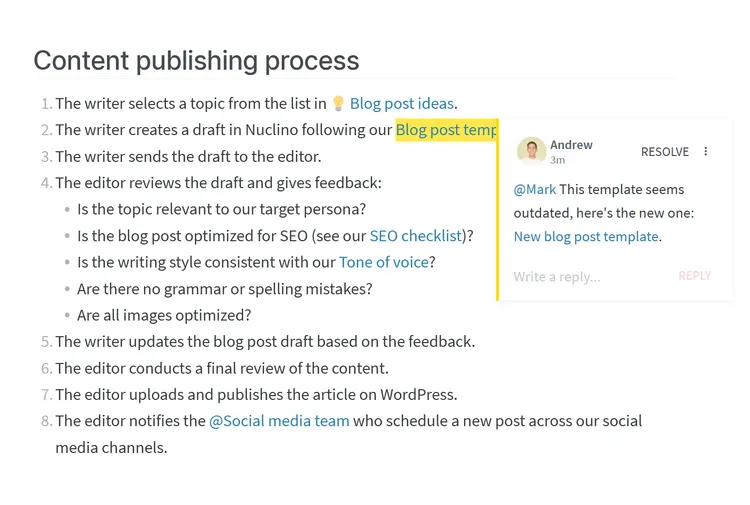
The amount of maintenance depends on the wiki. A personal research wiki may need very little, while a company wiki used by hundreds of people needs clearer ownership and more regular reviews.
How to create a wiki in Nuclino
Nuclino is a hosted workspace for docs, wikis, projects, and collaborative whiteboards, so there is no server or software installation to manage.
A wiki can be organized into workspaces and collections, with individual items for the actual content. Typing "@" creates a link to another item, making it easy to connect related information across the wiki.

Teams can edit together in real time, leave comments, mention colleagues, search across their content, and review previous versions. Roles and workspace permissions control who can access different areas.
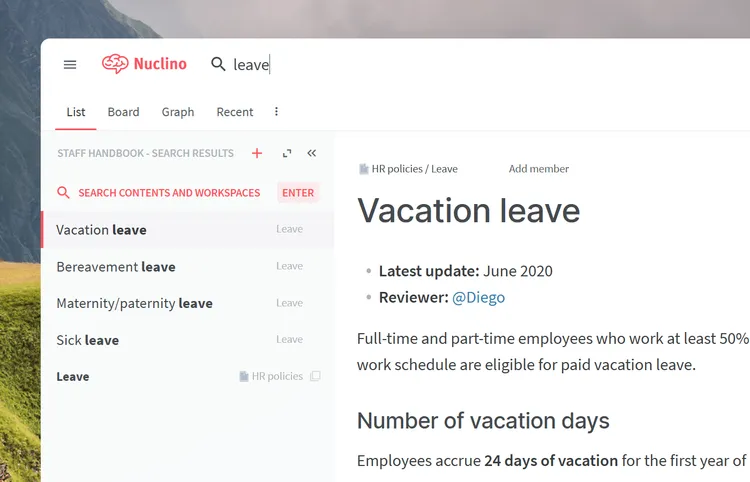
You can create a Nuclino account and begin with a small wiki, then add more structure and content as it grows.